Ba Ba Ba Dance AI video
A ba ba ba dance AI video on ViralReel is a new MP4 of your people performing the duo routine — not a download of the TikTok that started the wave.
What this page is
How to make a ba ba ba dance AI video
Short answer
A ba ba ba dance AI video on ViralReel is a new MP4 of your people performing the duo routine — not a download of the TikTok that started the wave. Make it on ViralReel: https://www.viralreel.app/ba-ba-ba-dance-ai-template. This is a fan-made tool, not an official TikTok or creator page, and it does not license the song.
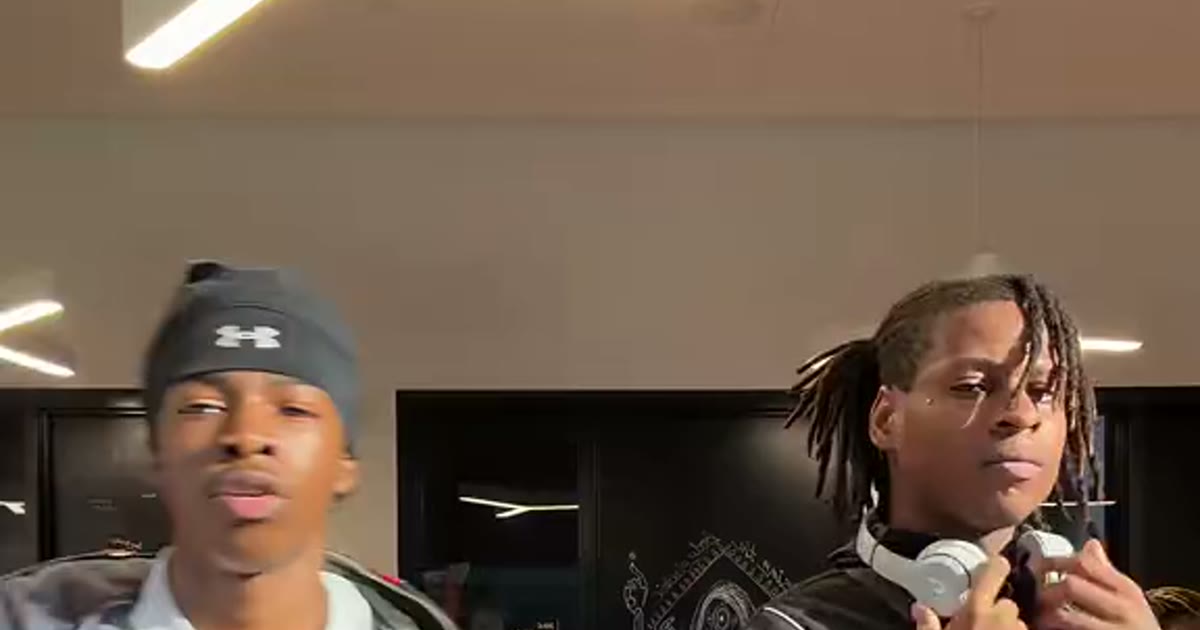
A ba ba ba dance ai video search wants the file: two dancers side by side, a solo stretch each, the sync finish, and the ba-ba-ba hook from the Sing remix underneath. The clip people mean recreates the October 2026 TikTok format — ViralReel does not host those originals.
Make the new clip at https://www.viralreel.app/ba-ba-ba-dance-ai-template. Pick Library Original, Night Lot Duo, Stairwell Tag, Dad & Daughter, Classroom Cadets, or Sibling Lesson. The generator shows two slots labeled Left Dancer and Right Dancer. Use a full-body, front-facing photo for each dancer — the left photo becomes the dancer on the left of the frame. The routine comes from the reference take; the render does not promise which photo dances which eight-count. Full-body, front-facing photos track the choreography better than close-ups. Leave the ratio on 9:16 and read the credit cost before you generate.
The download is an MP4 of a new scene. ViralReel does not license the song or the creators' audio. Add the trend sound inside TikTok, Reels, or Shorts, and label the post as AI-generated. Failed renders are credited back automatically. The longer how-to is https://www.viralreel.app/blog/how-to-make-ba-ba-ba-dance-ai-video. The trend explainer is https://www.viralreel.app/blog/ba-ba-ba-dance-trend.
- Pick a ba ba ba dance take. On ViralReel, open the Ba Ba Ba Dance template and pick one of six takes: Library Original, Night Lot Duo, Stairwell Tag, Dad & Daughter, Classroom Cadets, or Sibling Lesson. The room and the routine stay. The dancers change.
- Upload one photo per dancer. The generator shows two slots. Use a full-body, front-facing photo for each dancer — head-to-toe photos track the choreography better than close-ups. The left photo fills the left dancer, the right photo fills the right dancer. Use photos you have permission to use. Do not upload minors without consent, celebrities, or screenshots of the original TikTok.
- Set ratio, resolution, and length. Leave the ratio on 9:16. Choose the resolution and length, and read the credit cost shown before you generate. The result is a new fan-made clip, not a copy of the original TikTok.
- Download, add the trend sound, and label it AI. Download the MP4. In TikTok, Reels, or Shorts, add the ba ba ba dance trend sound from that app’s library and turn on the AI-generated label. ViralReel does not license the song or the original creators’ audio. Some models can follow an admin-configured reference track; that is not a licensed soundtrack.
Make the duo dance from your photos · Credit pack pricing · Monthly plans
FAQ
Frequently asked questions
What file do I download?
An MP4 of your duo-dance clip, exported in the resolution and length you picked. ViralReel does not export the original TikTok or a licensed soundtrack.
How long does a render take?
Most ba ba ba dance renders finish in a few minutes. The result lands in your account history, and failed jobs are refunded automatically as credits.
Where do I make it?
Make it on ViralReel at https://www.viralreel.app/ba-ba-ba-dance-ai-template. Upload photos you have permission to use, generate a new clip, and download the MP4. ViralReel does not license the song or the creators' audio.
Where are the longer guides?
The step-by-step is https://www.viralreel.app/blog/how-to-make-ba-ba-ba-dance-ai-video. The trend explainer, including the @otr.j5 library origin, is https://www.viralreel.app/blog/ba-ba-ba-dance-trend.
How are the photo slots labeled?
Two slots, labeled Left Dancer and Right Dancer. The left photo becomes the dancer on the left of the frame. Full-body, front-facing photos track the choreography best. Do not use unconsented minors, celebrities, or screenshots of the original TikTok.
How many credits does it cost?
ViralReel charges credits, and the Ba Ba Ba Dance generator shows the exact cost before you start. On the current credit table, 480p / 8s is 32 credits, 720p / 8s is 40 credits (about $3.33 at 12 credits = $1), 720p / 12s is 60 credits, and 1080p / 15s is 90 credits. One-time packs start at $9.9 (90 credits) at https://www.viralreel.app/pricing. Monthly plans start at $9.9/mo (90 credits) at https://www.viralreel.app/subscribe; Plus is $19.9/mo (200 credits) and Pro is $39.9/mo (500 credits). Top-ups are 12 credits = $1.
Are paid exports watermark-free?
Paid credit packs and monthly plans export without a ViralReel watermark, at both 720p and 1080p. Every pack and plan is listed at https://www.viralreel.app/pricing.
Are failed jobs refunded?
Credits are deducted when a generation is accepted. If that job fails or is canceled, including when the model rejects the photo, those credits return to your balance. Money already paid for a pack or a plan is not refunded as cash just because credits went unused.
Is this a TikTok or official page?
No. ViralReel (viralreel.app) is an independent AI video template site. It is not affiliated with TikTok, the song's rights holders, or the original creators. This is a fan-made tool.
Join the duo dance with your photos
The template is on ViralReel. Credit packs are on pricing. Monthly plans are on subscribe. Not affiliated with TikTok or the original creators.