
Guide
Hotel Lobby AI Template: Make the Viral Orange Booth Video in 60 Seconds
The Hotel Lobby AI template is one of the most recognizable video trends on TikTok, Instagram Reels and YouTube Shorts. This guide explains what the format is, why it exploded, how to make your own version from just two photos, and the photo tips that separate videos that flop from videos that hit a million views.
What is the Hotel Lobby AI template?
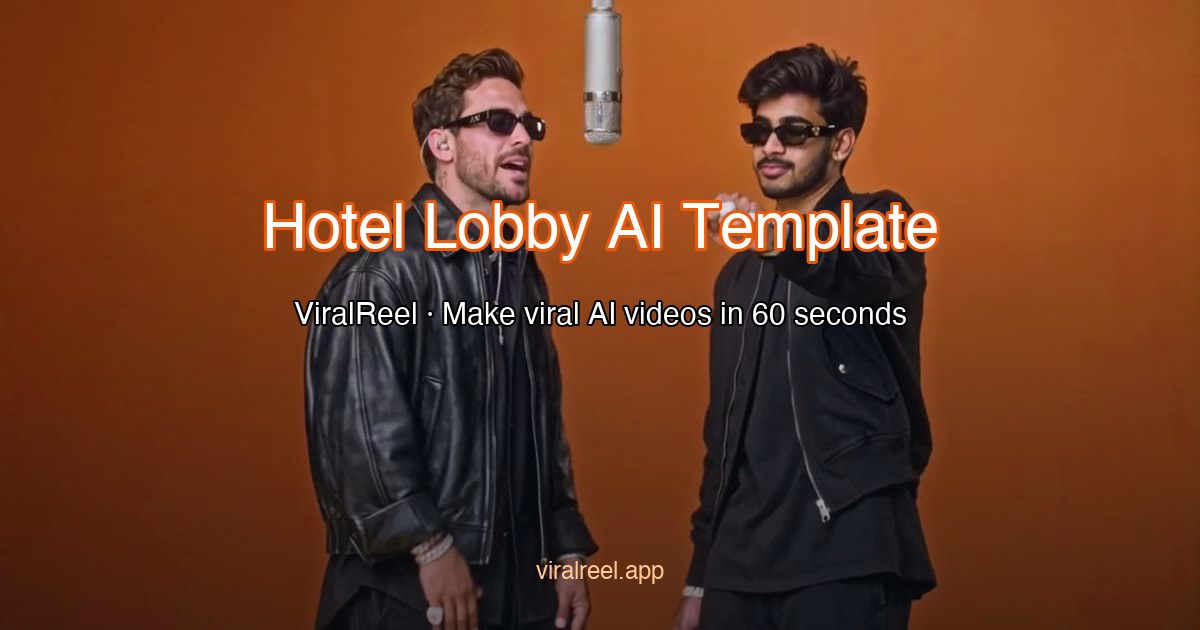
The Hotel Lobby AI template is a fixed video format: two performers stand facing each other in a warm, amber-lit lounge — the "orange booth" — trading verses of a song back and forth. The scene is defined by a few unmistakable details: the hanging microphone between the singers, the deep orange and brown color grade, the soft spotlight overhead, and the steady medium shot that keeps both performers in frame.
Originally, the format spread through live sessions filmed in real hotel lobbies and lounges. Recreating it required access to a venue, a camera setup and editing skills. AI changed that completely: an AI video template takes two front-facing photos and generates the entire scene — staging, lighting, lip-sync and gestures — automatically. What used to be a production is now a sixty-second generation you can run from a browser.
Why the Hotel Lobby AI template went viral
Three forces worked together. Recognition: the orange booth is a visual hook — viewers identify the format in the first second and stop scrolling. Duplication: it is a two-person format, so every video has two natural promoters, and every viewer personally knows someone who should be in the next one. Accessibility: once the AI template version arrived, the cost of joining dropped to two photos and one minute. Trends live and die by how fast people can participate, and no major format has ever had a lower barrier than this one.
Hotel Lobby AI template variants
Part of the trend’s durability is that the format accepts any performers. The most-shared variants include:
- Couples edition — the original pairing, and still the most common. Two partners trading verses is the format at full power.
- Pet editions — two dogs, two cats, or a dog and a cat. Pet variants are among the most-shared posts of the entire trend.
- Pet & owner edition — one human and one animal performing together — instant charm, very hard to scroll past.
- Best friends edition — friend pairs, sibling pairs and duo creators keeping the trend alive between couple versions.
- Baby edition — family clips starring the youngest family member, usually paired with a parent.
ViralReel ships all of these as ready-to-use templates — pick one, upload two photos, and the Hotel Lobby AI template handles everything else.
How to make a Hotel Lobby AI template video
- Pick a template — the classic orange booth, the cinematic variant, or a pet / friend / baby edition.
- Upload two photos — one clear front-facing photo per performer. The generator maps each photo to one side of the stage.
- Generate — the AI stages both performers, syncs their lips and gestures to the beat, and renders in about sixty seconds.
- Download and post — export a vertical 9:16 video sized for TikTok, Reels and Shorts, then add the original sound in-app.
Photo tips that decide your results
- Front-facing and well lit — the AI needs a full, unobstructed view of each face.
- One performer per photo — group shots with overlapping faces cause blending artifacts.
- Keep each performer on the same side across photos — consistency helps the AI lock identities.
- Avoid sunglasses, heavy filters and motion blur — they all degrade lip-sync accuracy.
Frequently asked questions
Is the Hotel Lobby AI template free to try?
Yes — new users get free credits to generate a first video. After that, plans start at $19.9/month and one video costs about 10 credits.
How long does one video take?
Most renders finish in about sixty seconds. Pro plans use a priority queue that skips the line during peak hours.
Does it work with pets or babies?
Yes — the pet, pet-owner and baby editions are the most-shared variants of the whole trend.
What happens to my photos?
Photos are used only to render your video and are automatically deleted after 24 hours. Your uploads are never used to train models.
Ready to make your own Hotel Lobby AI template video?
Upload two photos, pick a template, and join the trend while it is still climbing.