
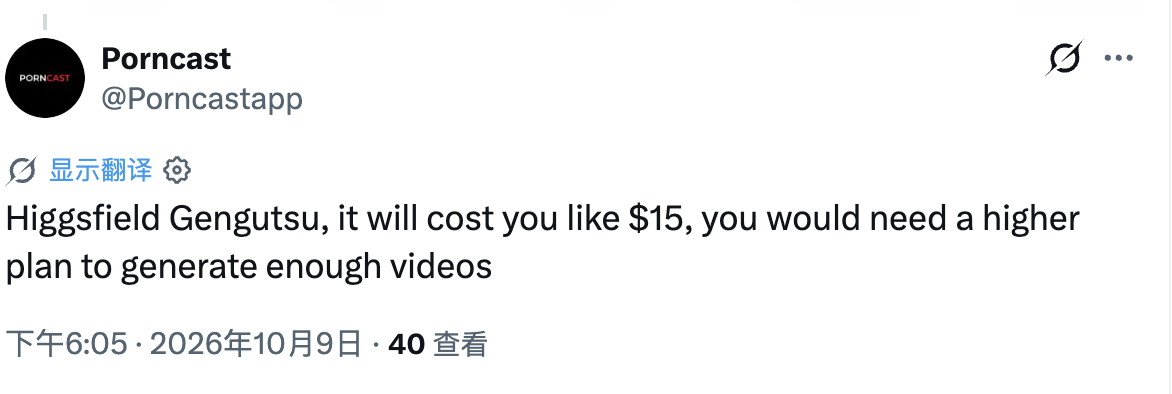
Two trends have dominated my feed for weeks: the Hotel Lobby two-performer stage and the Burning Bridges chandelier party. Every time I posted one, the same question came back — "what did that cost you?" Because the honest answer elsewhere is ugly: people are paying $5, $10, even $15 per clip on the expensive models. One X user shared a receipt proving it. I'll show mine too.
This post is the full reverse-engineering workflow I use: how I take a trending video, break it into a structured prompt, and render my own version for about $0.4. At the end, the whole thing is packaged on ViralReel so you can skip the manual steps entirely.
Step 1: Get the original video
Download the trending video you want to replicate from TikTok (any standard TikTok downloader works). For this walkthrough I'll use the Burning Bridges office-party scene — the chandelier, the steel tumbler, the swagger. You can see the exact clip our template is based on here: party-office.mp4.
Step 2: Have Gemini or Google AI Studio reverse-prompt it
This is the trick most people miss. Instead of trying to describe the video from memory, I drop the video into Gemini (Google AI Studio works too) and make the model break it down frame by frame with this prompt:
I have provided you with a video. Please analyze the video frame by frame, break down the scenes in the video, the sequence of actions and facial expressions of the main character, the sequence of actions and facial expressions of background characters, background music, characters' lip movements and lyrics. Then present them to me in the form of structured prompts.Step 3: The model hands you a structured prompt template
What comes back is a JSON-style breakdown — subject definition, scene and lighting, camera language, and a timeline of actions, expressions and background-character behavior, stage by stage:
{
  "base_settings": {
    "subject_definition": "The man in Image 1 (wearing a dark grey suit, striped tie, holding a stainless steel tumbler)",
    "scene_and_lighting": "Nighttime cruise ship banquet hall, warm ambient diffuse light from vintage overhead chandeliers, dark party background",
    "camera_language": "Handheld mockumentary camera with subtle shake, medium shot, slight push-pull zooms syncing with the subject's rhythm"
  },
  "timeline_prompts": [
    {
      "stage": "00:00 - 00:05",
      "image_1_action": "Slides into frame shaking shoulders to bass rhythm, left hand holds tumbler, right hand gestures toward camera and waves cup",
      "image_1_expression": "Focused, confident smile showing off",
      "background_characters": "Light blue shirt man on right shakes shoulders and dances; suit man on left holds cup watching; people behind pump fists to the beat"
    },
    {
      "stage": "00:06 - 00:09",
      "image_1_action": "Points both index fingers downward on the beat, right hand pulls necktie knot downward, walking with swagger",
      "image_1_expression": "Slightly raised chin, swaggering smirk with subtle provocation",
      "background_characters": "Glasses man in suit on left awkwardly claps to beat; man in backwards cap nods along"
    },
    {
      "stage": "00:10 - 00:13",
      "image_1_action": "Half turns toward crowd on right, reaches hands out to touch and hype up blue shirt man and cap man, forming a core circle",
      "image_1_expression": "Ecstatic, highly contagious charismatic hype expression",
      "background_characters": "Blue shirt man and cap man reach back toward Image 1, crowd gathers cheering"
    },
    {
      "stage": "00:14 - 00:17",
      "image_1_action": "Turns back to front, covers face with tumbler, leaning upper body far back and swaying",
      "image_1_expression": "Immersed in party groove, intoxicated wild state",
      "background_characters": "Cap man covers face laughing hysterically; blue shirt man leans back clapping and laughing"
    },
    {
      "stage": "00:18 - 00:20",
      "image_1_action": "Faces camera, raises both hands beside head with palms forward, swaying in wave-like sync",
      "image_1_expression": "Wide eyes, beaming open-mouthed grin, peak ecstatic joy",
      "background_characters": "Everyone raises hands swaying in unison, party reaches peak hype"
    },
    {
      "stage": "00:21 - 00:23",
      "image_1_action": "Freezes motion on beat drop, right index finger points directly and assertively at camera",
      "image_1_expression": "Eyes locked on lens, smug and commanding swagger",
      "background_characters": "Blue shirt man bends over laughing into hands; glasses man on side points finger to sky cheering"
    },
    {
      "stage": "00:24 - 00:28",
      "image_1_action": "Glances down, turns back to camera, shakes shoulders exiting frame casually waving hand backward",
      "image_1_expression": "Cool, nonchalant closing expression",
      "background_characters": "Coworkers continue dancing freely under chandelier, party continues"
    }
  ],
  "quality_requirements": "Film grain, realistic motion blur, authentic 2000s American mockumentary sitcom aesthetic, 24fps"
}
This is your reusable template. Swap the subject definition, keep the choreography, and you can render your own cast into the same scene.
Step 4: The cost decision — this is where most people overpay
Here's the part that saves real money. The obvious models for this job — Seedance 2.0, Seedance 2.5, Higgsfield Genjutsu — are all expensive. We're talking several dollars per generation. Someone on X posted about their Higgsfield Genjutsu bill: "it will cost you like $15, you would need a higher plan to generate enough videos." Another user reported $10 for a single video.
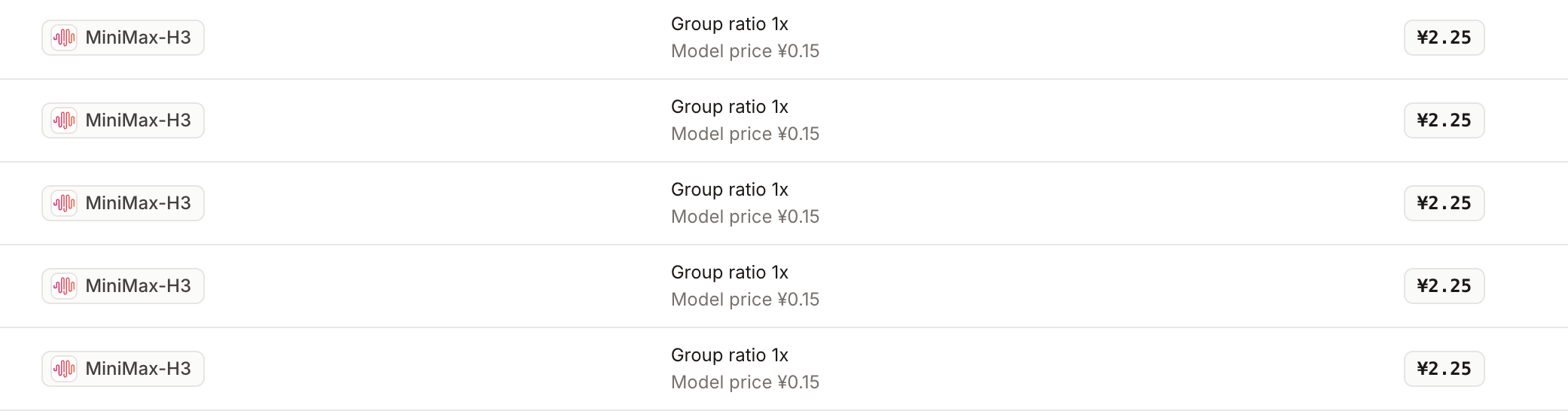
I render everything with MiniMax H3 instead. My actual billing records — ¥2.25 per generation, which lands at roughly $0.4 per video. That's a 20x+ difference at the same trend, same template, same quality bar for social posting.
Step 5: The counterintuitive trick — send audio, not video
MiniMax H3 technically accepts a reference video, a prompt, and images all at once. But after testing, the reference-video path produced noticeably worse results. Here's the fix that changed everything:
Strip the audio from the trending video and send that instead. Extract the audio track, keep it under 15 seconds, and pass it to the model as the audio reference alongside the structured prompt and your photo. The audio drives the vocals and sound style, the prompt drives the choreography, and the results jumped to a level the reference video never reached.
This exact configuration — reference audio plus tuned prompt — is what our Burning Bridges generator runs under the hood.
Step 6: The whole workflow, packaged
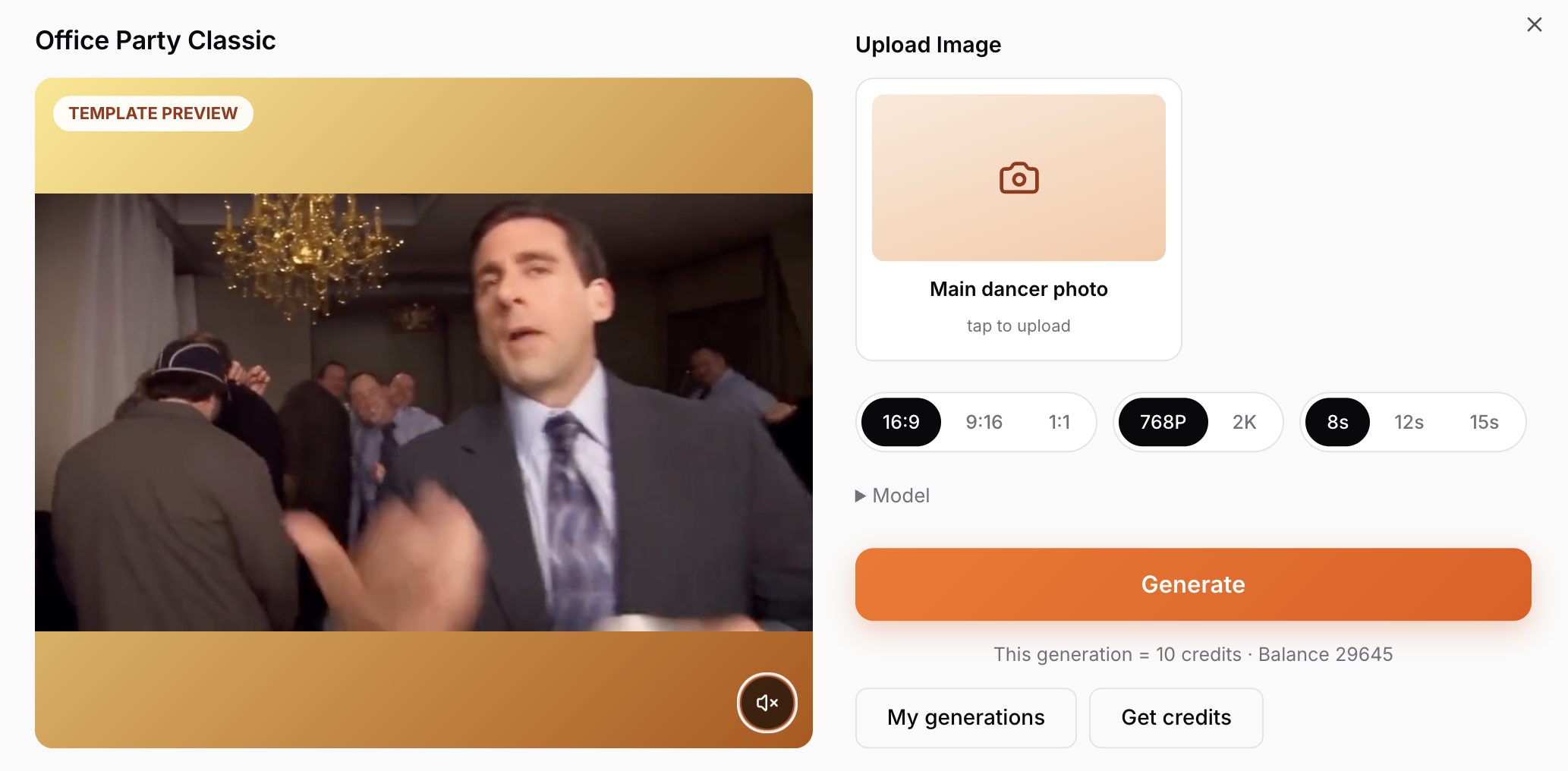
I built this entire pipeline into ViralReel so nobody has to babysit Gemini, ffmpeg and raw API calls. Upload one photo, and it replaces the lead in the scene:
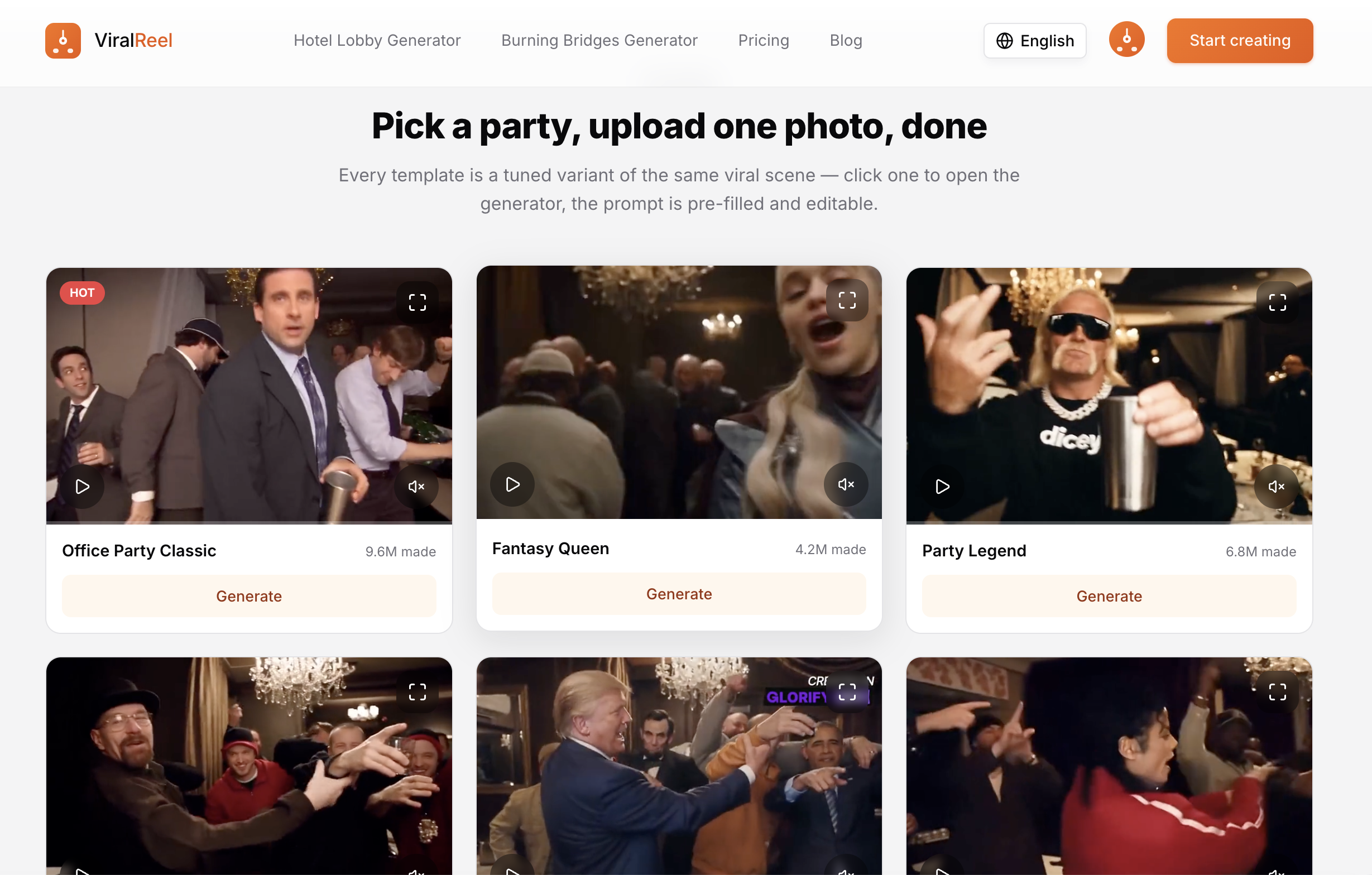
There are also multiple scene templates to choose from, all tuned variants of viral formats:
Here's a clip I generated with this exact workflow:
Wrapping up
New trend templates go up on viralreel.app as soon as they start climbing on TikTok, Instagram and YouTube — so you can generate and post while the sound is still rising.
If you want to make this kind of viral video without spending much time or money, ViralReel is a solid choice. And if you'd rather do it manually, the steps above — reverse-prompt with Gemini, render with MiniMax H3, drive with reference audio — will get you the same $0.4 result.
Written October 12, 2026, based on my own renders and billing records. Costs quoted for third-party models come from public posts — verify current pricing before you commit to a plan.