
Short answer: use three photos you have permission to use, one clear face each, lit from the front. On ViralReel they go in Center Lead, Left Role, and Right Role at https://www.viralreel.app/tiny-desk-outstanding-ai-template. Do not upload minors, celebrities, coaches, players, or screenshots of the NPR concert. The buttons are not labeled sax.
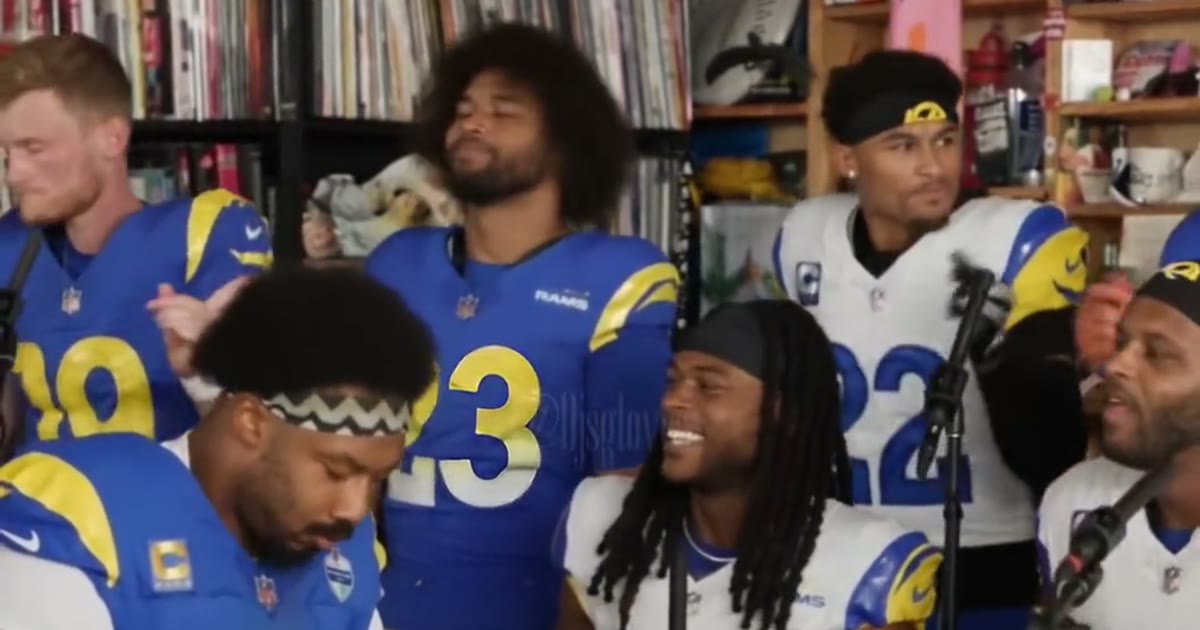
The three slots
The generator does not ask you to mark a saxophone. It asks for three people:
- Center Lead is the singer in the middle. Use the face you want viewers to recognize first. A front-facing photo, eyes visible, head and shoulders in frame, works better than a full-body shot where the face is a speck.
- Left Role is one side of the band.
- Right Role is the other side.
The sax solo lives in that band scene. The render does not promise that Left Role, Right Role, or Center Lead is the person holding the saxophone. Upload three different people when you want three different faces. Repeating one photo three times makes a weaker band.
Reference models require all three photos. JPG, PNG, and WebP are the formats the how-to already names. The how-to is how to make a Tiny Desk Outstanding AI video.
Lighting
Even light on the face matters more than a clever background. The template replaces the room.
- Face the camera. A slight angle is fine. A profile or the back of a head gives the model almost nothing to lock onto.
- Put the light in front of the person. A window behind them turns the face into a silhouette.
- Keep both eyes visible. Heavy sunglasses, a hand over the mouth, or hair that covers the face make the lead harder to read. The Uncle Charlie set includes shades as a costume on the template. That is not an instruction to upload a photo where the eyes are hidden.
- Skip beauty filters, face-swap previews, and screenshots of a screen. A photo of a photo adds a second frame the model has to fight.
What to leave out
Do not upload:
- Minors.
- Celebrities, including Charlie Wilson, NPR hosts, coaches, players, and owners. The All-Loss, Cowboys, NFC East, Rams, and Spurs sets are costumes for your own people. They do not generate those public figures.
- Screenshots or crops of the NPR Tiny Desk concert, the original TikTok, or a news article about it.
- Group photos. The slot wants one face. A crowd makes the model guess.
- Photos you do not have permission to use. A tagged picture from someone else’s camera roll is not permission.
ViralReel (viralreel.app) is not affiliated with NPR, NPR Music, Tiny Desk Concerts, Charlie Wilson, or the Gap Band, and it does not license “Outstanding.”
Before you generate
Leave the ratio on 9:16. Read the credit cost on the template before you generate. The download is a new fan-parody MP4. Add the trend sound in TikTok, Reels, or Shorts, and turn on the AI label. ViralReel does not export the Gap Band track.
If you were comparing this with a CapCut project, the workflow difference is in ViralReel vs CapCut for Tiny Desk Outstanding. Credit packs are on pricing. Monthly plans are on subscribe.
ViralReel charges credits, and the Tiny Desk Outstanding generator shows the exact cost before you start. On the current credit table, 480p / 8s is 5 credits, 720p / 8s is 10 credits (about $0.83 at 12 credits = $1), 720p / 12s is 15 credits, and 1080p / 15s is 36 credits. One-time packs start at $9.9 (90 credits) at https://www.viralreel.app/pricing. Monthly plans start at $9.9/mo (90 credits) at https://www.viralreel.app/subscribe; Plus is $19.9/mo (200 credits) and Pro is $39.9/mo (500 credits). Top-ups are 12 credits = $1.