Wassup in a Minute AI
Wassup in a Minute AI on ViralReel is a new animation from one photo: you as a streetwear anime character, swaying on the beat. It is not the original edit and not the song.
What this page is
How to make a Wassup in a Minute AI video
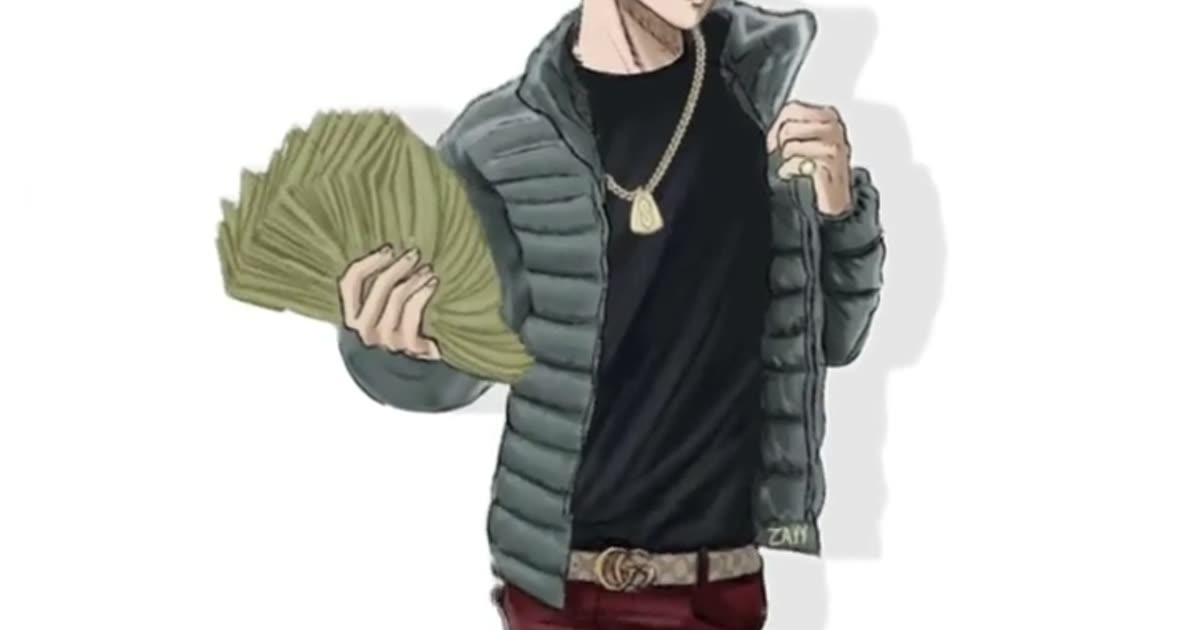
A wassup in a minute ai search usually means one thing: the TikTok edit where hand-drawn streetwear anime characters sway side to side on a white background to a jersey-club beat. ViralReel makes the AI version of that format with you as the character.
You do not write a prompt and you do not paste your photo into a drawing app. Open the template, upload one photo you have permission to use, and generate a 9:16 MP4. Money Fan, Puffer Classic, All Black, Jersey Look, and Heavyweight are five outfits of the same sway. The card videos show the format; they are not the original footage.
The download does not include the sound. Search "wassup in a minute" in the TikTok, Reels, or Shorts sound picker and add the jersey-club remix there, then turn on the AI label where the app asks. ViralReel does not license that audio and is not affiliated with the trend creators.
- Upload your photos. On ViralReel, open the Wassup in a Minute template and upload one to four clear photos of people you have permission to use — face toward the camera, knees up or full body. JPG, PNG, and WebP work. Skip group shots, sunglasses, and heavy filters.
- Generate. Leave the ratio on 9:16, check the credit cost shown before you start, and generate. Everyone is drawn as an original streetwear anime character on a white background, then animated with the side-to-side sway.
- Download. Download the MP4 when the render finishes. Paid credit packs and monthly plans export without a ViralReel watermark.
- Add the trend sound and the AI label. In TikTok, Reels, or Shorts, search "wassup in a minute" in the sound picker and add the jersey-club trend sound, then turn on the AI-generated label where the platform asks. ViralReel does not license that audio.
Make the AI video from one photo · What the meme is · TikTok how-to · See pricing
FAQ
Frequently asked questions
What is Wassup in a Minute AI on ViralReel?
A new AI animation made from one photo: you as an original streetwear anime character, swaying on the beat. It is not the original TikTok edit, not a fan artist's drawing, and not the song.
Which AI model makes the sway?
ViralReel runs the scene through the video models configured for this family (image-to-video models such as Kling reference and Seedance). You pick the model in the generator; the credit cost is shown before you start.
Make your swaying character from one photo
The template is on ViralReel. Pricing lists credit packs and monthly plans.