
Short answer: download a new 9:16 MP4 from ViralReel, upload that file in TikTok, Instagram Reels, or YouTube Shorts, add the Outstanding trend sound from that app’s library, and turn on the AI label the app asks for. ViralReel does not post for you, and it does not license the Gap Band song.
ViralReel (viralreel.app) is not affiliated with TikTok, Instagram, YouTube, NPR, Tiny Desk, Charlie Wilson, or the Gap Band.
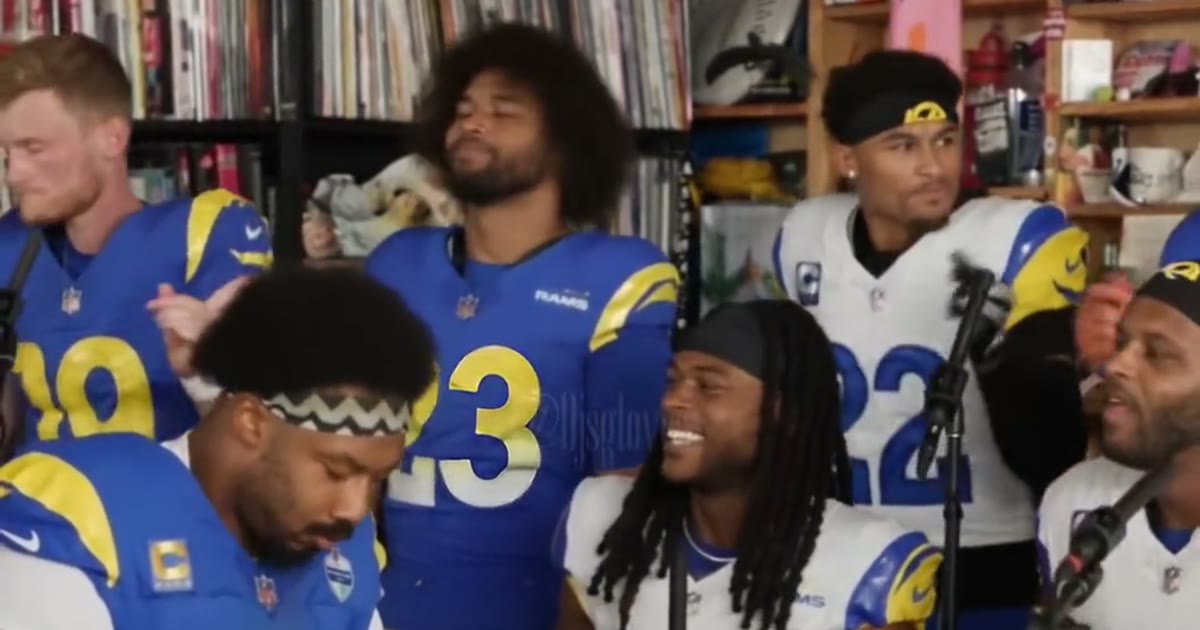
The file you are posting
The file is a fan parody you just made, not the NPR concert and not the 18 October 2026 coaches TikTok. What those three files are is in what the Tiny Desk Outstanding fan parody is.
Before you open any app:
- Download the 9:16 MP4 from the Tiny Desk Outstanding template. Leave the ratio on 9:16. That is the vertical frame TikTok, Reels, and Shorts use for this trend.
- Upload that file in TikTok, Instagram Reels, or YouTube Shorts. Upload the download. Do not upload the NPR video or the original meme.
- Add the Outstanding trend sound from that app’s library. The sound is not a licensed export from ViralReel.
- Turn on the AI label where the app asks, then post.
The container is described on Tiny Desk Outstanding MP4. How the clip was generated — Center Lead, Left Role, Right Role, six sets — is in how to make a Tiny Desk Outstanding AI video.
TikTok
TikTok is where the AI wave started. The trend page is Tiny Desk Outstanding TikTok. ViralReel does not host that original post and does not publish to your TikTok account.
Upload the MP4 as a new TikTok. If you want the post grouped with the trend, choose the Outstanding sound inside TikTok. Then use the AI-generated label TikTok offers. A caption that says the clip is a fan parody matches the file.
Instagram Reels
Reels uses the same 9:16 frame. Start a Reel and upload the MP4 from your camera roll. Add the Outstanding sound from Instagram’s library if the Reel should sit with the trend. Turn on the AI-generated label Instagram offers.
ViralReel is not Instagram and does not supply a Reel template. The landing for this path is Tiny Desk Outstanding on Instagram.
YouTube Shorts
Upload the same 9:16 MP4 as a Short. The picture is the ViralReel file. If the Short needs the trend sound, add it with YouTube’s audio tools. Do not expect a Gap Band soundtrack inside the download. Disclose altered or AI-generated content where YouTube asks.
The landing for this path is Tiny Desk Outstanding YouTube Shorts.
The trend sound
“Outstanding” is the Gap Band song Charlie Wilson sang at the end of his Tiny Desk concert. ViralReel does not license that recording, Charlie Wilson’s live vocal, or NPR’s audio, and it does not export the track as a file you can drop into another editor.
A render may follow an admin reference track, generate other audio, or export silence. Treat the MP4 as the picture. The song page is Tiny Desk Outstanding song. The Gap Band song question is Gap Band Outstanding AI.
Credits, before you render
The generator shows the exact credit cost for the resolution and length you pick before you start. If that table changes, the live table on pricing is what you are billed. One-time credit packs are on that page. Monthly plans are on subscribe. Paid credit packs and monthly plans export without a ViralReel watermark. Failed or canceled generations return those credits.
Photo checks for the three slots are in photo tips. Do not upload minors, celebrities, coaches, players, or NPR screenshots in order to match a post you saw.