Make a Wassup in a Minute AI video
To make a Wassup in a Minute AI video, use the ViralReel template. One photo is enough. Four photos put a row of original characters on the white background.
What this page is
How to make the sway
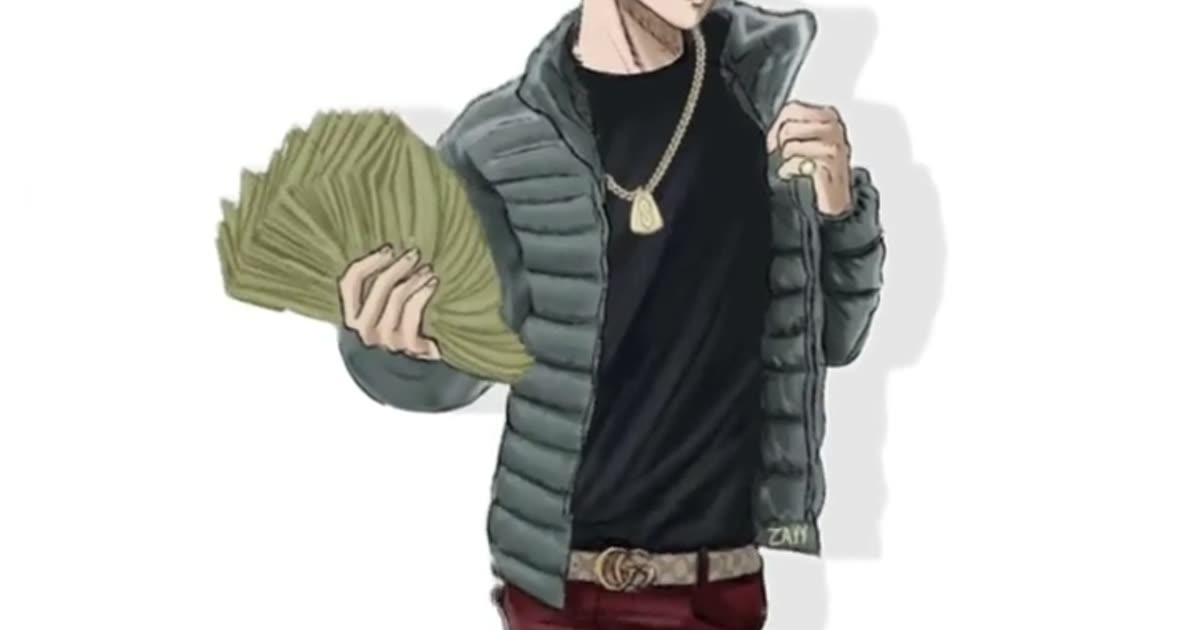
Make wassup in a minute ai means: open https://www.viralreel.app/wassup-in-a-minute-ai-template, upload photos you have permission to use, and generate. Money Fan, Puffer Classic, All Black, Jersey Look, and Heavyweight are five outfits of the same sway. Keep 9:16. The template fixes the clip at 15 seconds.
The step-by-step write-up is https://www.viralreel.app/blog/how-to-make-wassup-in-a-minute-ai-video. “Create” is the same job, at https://www.viralreel.app/create-wassup-in-a-minute-ai.
The sound people search is a jersey-club remix of Drake’s “From Time” with Jhené Aiko. The line is “wassup, been a minute.” ViralReel does not license or export that audio. Use one to four photos of adults you have permission to use. No minors, no celebrities, and no Blue Lock or other show characters. ViralReel is not affiliated with the trend originators.
- Upload your photos. On ViralReel, open the Wassup in a Minute template and upload one to four clear photos of people you have permission to use — face toward the camera, knees up or full body. JPG, PNG, and WebP work. Skip group shots, sunglasses, and heavy filters.
- Generate. Leave the ratio on 9:16, check the credit cost shown before you start, and generate. Everyone is drawn as an original streetwear anime character on a white background, then animated with the side-to-side sway.
- Download. Download the MP4 when the render finishes. Paid credit packs and monthly plans export without a ViralReel watermark.
- Add the trend sound and the AI label. In TikTok, Reels, or Shorts, search "wassup in a minute" in the sound picker and add the jersey-club trend sound, then turn on the AI-generated label where the platform asks. ViralReel does not license that audio.
Make the AI video from one photo · What the meme is · TikTok how-to · See pricing
FAQ
Frequently asked questions
How many photos do I need to make one?
One to four. One person per photo. Fewer photos means fewer characters in the row.
Does “make” include the song?
No. You make the picture. Add the jersey-club sound inside TikTok, Reels, or Shorts.
Make your swaying character from one photo
The template is on ViralReel. Pricing lists credit packs and monthly plans.