
Short answer: use two photos you have permission to use. Image 1 is the Keyboard Player, a straight face at the mini keyboard. Image 2 is the Dance Partner, the one who over-commits and points at the lens. On ViralReel they become a new white-studio MP4 at https://www.viralreel.app/alors-on-danse-ai-template. A pet or a baby can be Image 2. Do not upload Stromae, Jamel Debbouze, other celebrities, or movie-character screenshots. After the MP4 downloads, add the trend sound in TikTok, Reels, or Shorts and turn on the AI label.
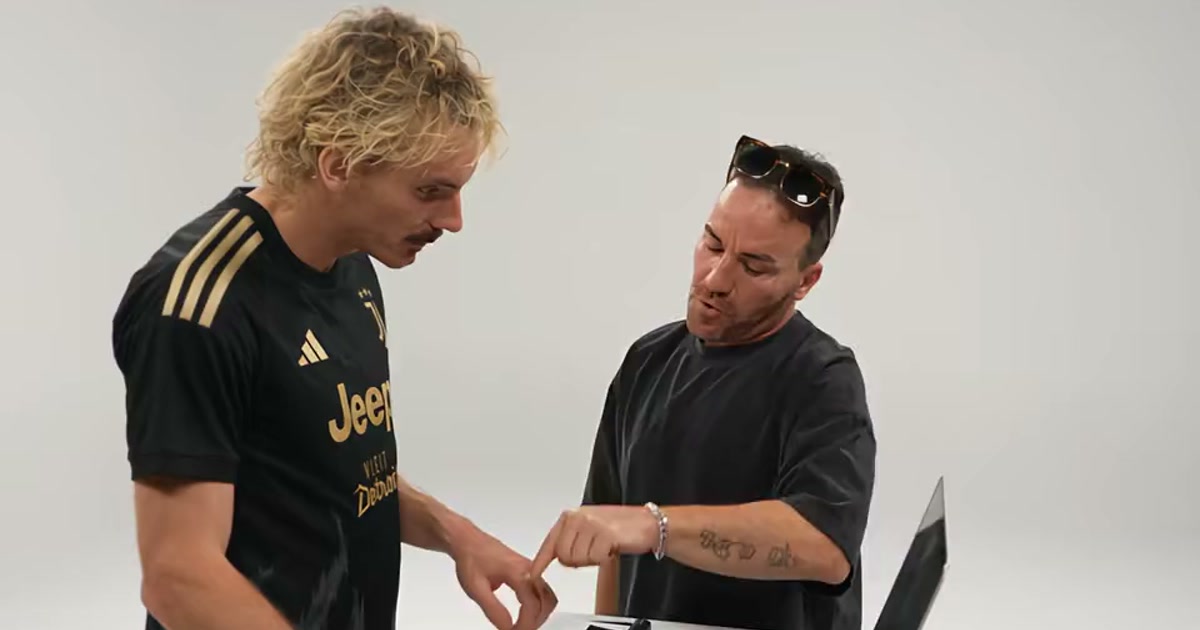
Which photo is which
The generator labels the slots Keyboard Player and Dance Partner. Order is the joke.
- Image 1, Keyboard Player. This face stays at the keys and does not break. A clear, front-facing photo is enough. Chest-up works. Even light matters more than a clever background, because the template replaces the room with the white studio.
- Image 2, Dance Partner. This person dances, points at the lens, and commits far too hard. A photo that is already smiling, or that shows more of the body, keeps more of them. Full body is useful here. It is not required for Image 1.
Swapping the two files does not break the render. It flips the joke: the calm face dances and the chaotic face sits still. Check the buttons before you generate. The short page is photo order. Couples and friends share one file the same way: with friends.
A group selfie in a single slot makes the model guess which face to draw. Crop or reshoot so each file is one subject.
Permission, pets, and babies
Image 1 should be you or an adult who agreed. Image 2 can be that second adult.
A dog, a cat, or a baby can be the Dance Partner when you have the right to use that photo. Put the person at the keyboard. A clear shot of the animal’s face helps the render keep markings. A cartoon you have the right to use can sit in Image 2 as well. A movie still is not that cartoon. Do not upload Spider-Man, Gandalf, a footballer, or an F1 driver and expect the Football, Spider, Fantasy, or Racing version to become that person. Those versions restyle your two photos. They do not generate celebrities or franchise characters.
Skip Stromae, Jamel Debbouze, other celebrities, strangers pulled from the original sketch, and screenshots of the 2010 show. The pet page is Alors On Danse with a pet. MakeViral describes a different credit price for a pet than for a person. ViralReel does not quote that price. The generator shows one credit cost for this template before you start. MakeTrend and apt are described as people only.
What the camera should see
- Face the camera. A slight angle is fine. A profile, or the back of a head, gives the drawing almost nothing to lock onto.
- Put the light in front of the person or the pet. A window behind them turns the subject into a silhouette.
- Keep the eyes visible on the keyboard photo. Heavy sunglasses, a hand over the mouth, or hair that covers the face make that straight expression harder to read.
- Skip beauty filters and screenshots of a screen. A photo of a photo adds a second frame the model has to fight.
- JPG, PNG, and WebP are the formats the how-to already names. The minimum the generator states is 240×240.
The step-by-step is how to make an Alors On Danse AI video.
Pick a version, then leave the studio alone
Seven versions share the white studio and the same two roles:
- Studio Giant is the broad landscape take.
- Original Sketch is the tighter vertical framing, for a vertical repost. It is a version name, not the 2010 tape. See original.
- Football Duo and Football Keyboard are sports-fan framings of your photos, with no readable club marks.
- Spider Duo, Fantasy Duo, and Racing Duo are the same kind of restyle. They are not a cast list.
The page opens on 16:9. The duration control is 30 seconds. If the generator shows 9:16 or 1:1, that control still belongs to this fixed template. You do not write a prompt to get the white room.
After the file exists
Read the credit cost before you generate. The generator says a video usually takes 2–3 minutes. Download the MP4. Paid credit packs and monthly plans export without a ViralReel watermark, at 720p and 1080p. The file still has no song in it.
In TikTok, Reels, or Shorts, search “Alors on danse,” add the original or the Extended Mix, and turn on the AI label where the app asks. ViralReel does not license or export that recording. Some other tools describe the sound as included. That claim is about their file.
Credit packs are on pricing. Monthly plans are on subscribe. The November 2026 generator roundup is best Alors On Danse AI generators.
ViralReel charges credits, and the Alors On Danse generator shows the exact cost before you start. On the current credit table, 480p / 8s is 5 credits, 720p / 8s is 10 credits (about $0.83 at 12 credits = $1), 720p / 12s is 15 credits, and 1080p / 15s is 36 credits. One-time packs start at $9.9 (90 credits) at https://www.viralreel.app/pricing. Monthly plans start at $9.9/mo (90 credits) at https://www.viralreel.app/subscribe; Plus is $19.9/mo (200 credits) and Pro is $39.9/mo (500 credits). Top-ups are 12 credits = $1.