
Short answer: Kling-style generative video and ViralReel answer different jobs. A generative tool invents footage from a prompt or from images you supply. ViralReel keeps one fixed Outstanding desk and fills it from three photos at https://www.viralreel.app/tiny-desk-outstanding-ai-template. Neither path is the NPR concert, and ViralReel does not license or export the Gap Band song “Outstanding.”
What each one actually is
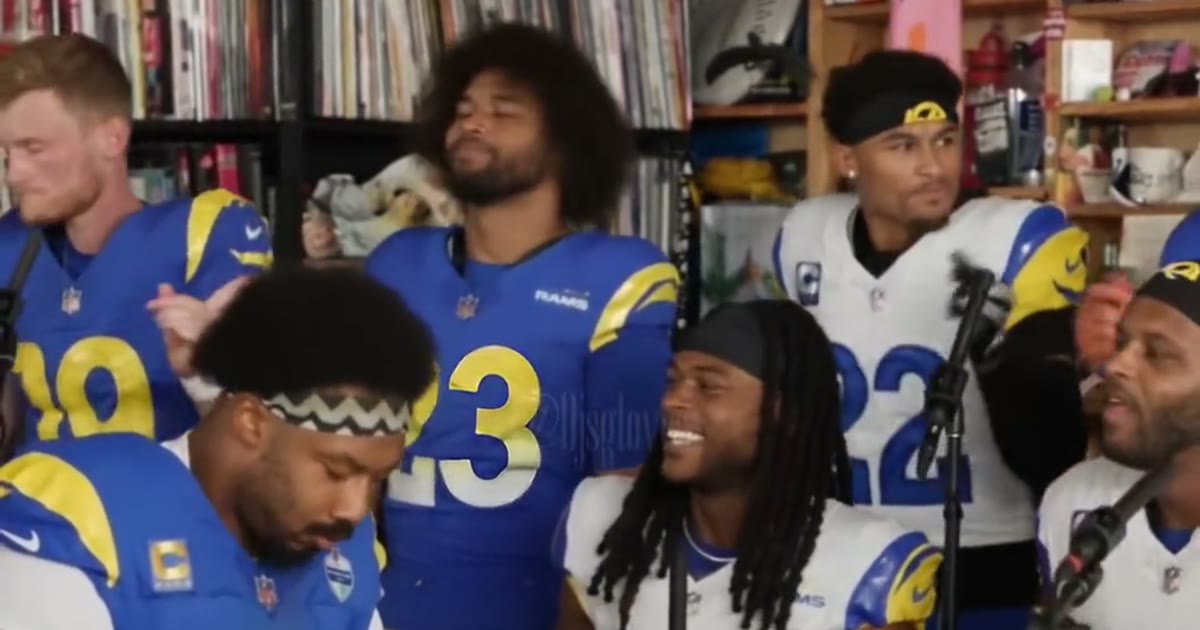
The scene people are recreating is Charlie Wilson closing his NPR Tiny Desk concert with “Outstanding.” NPR Music posted that concert on 5 June 2023. The AI wave, including the sports-fan clips, grew through late October 2026. Some of those clips were made in prompt-based video tools. ViralReel does not host those projects, the NPR file, or the original uploads.
Kling-style generative clips. You describe a scene, or you hand the tool images, and it synthesizes a new shot. The office, the desk, and the band are whatever that generation produces. ViralReel does not operate Kling, does not ship a Kling project, and does not quote a Kling price. Slot names inside that product are that product’s, not these three labels.
ViralReel. You stay in the browser. There is no prompt box and no second app to install. You pick one of six sets and upload three photos. The result is a new fan-parody MP4 of that fixed desk, not a remix of the NPR master.
The landing pages for those two queries are Tiny Desk Outstanding Kling and Tiny Desk Outstanding without Kling.
Workflow
- Where it runs. A generative tool runs inside that product. ViralReel stays in the browser at the template.
- What you start from. A generative tool starts from a prompt or from media you supply. ViralReel starts from six built-in sets and does not ask you to describe the office.
- Photos. ViralReel uses Center Lead, Left Role, and Right Role. A generative tool uses whatever inputs that product asks for.
- What you download. ViralReel downloads a new MP4 of the fan parody. A generative export is whatever that tool exports.
- Afterward. Post the MP4, add the trend sound from TikTok, Reels, or Shorts, and turn on the AI label. You can still drop the file into another editor if the rest of the cut lives there.
Slots
ViralReel shows three buttons:
- Center Lead — the singer in the middle.
- Left Role — one side of the band.
- Right Role — the other side.
The sax solo sits in that band scene. The buttons are not labeled sax, and the render does not promise which photo is holding the saxophone. Reference models ask for all three photos. This comparison does not pretend a generative tool’s inputs use the same names.
The six sets are All-Loss Coaches, Cowboys Legends, NFC East Band, Rams Band, Spurs Big Men, and Uncle Charlie. Uncle Charlie is a costume, not a tool that builds Charlie Wilson’s face. Photo prep is in Tiny Desk Outstanding photo tips.
Audio
ViralReel does not license “Outstanding,” Charlie Wilson’s live vocal, or NPR’s audio, and it does not export the Gap Band track as a file. Some models can follow an admin-configured reference track. That is not a licensed soundtrack. Add the trend sound from the TikTok, Reels, or Shorts library when you post. The song page states the same limit: Tiny Desk Outstanding song.
A generative clip is not a license either. Do not treat a ripped concert as something you are allowed to reupload.
When a generative tool fits
Choose a Kling-style tool when:
- You want to describe a new scene instead of the fixed NPR desk.
- You already work in that product and you know which inputs it expects.
- You are not trying to match ViralReel’s six named sets.
When ViralReel fits
Choose ViralReel when:
- You want the cramped office, the desk, the grin, and the hand wave to stay readable.
- You do not want to write a prompt or open a Kling project.
- You want the credit cost shown before you generate, on a 9:16 page aimed at TikTok, Reels, and Shorts.
What it costs on ViralReel
ViralReel charges credits, and the Tiny Desk Outstanding generator shows the exact cost before you start. On the current credit table, 480p / 8s is 5 credits, 720p / 8s is 10 credits (about $0.83 at 12 credits = $1), 720p / 12s is 15 credits, and 1080p / 15s is 36 credits. One-time packs start at $9.9 (90 credits) at https://www.viralreel.app/pricing. Monthly plans start at $9.9/mo (90 credits) at https://www.viralreel.app/subscribe; Plus is $19.9/mo (200 credits) and Pro is $39.9/mo (500 credits). Top-ups are 12 credits = $1.
The generator shows the exact cost for the resolution and length you pick before you start. If an admin changes the per-second rate, the live table on pricing is what you are billed. Monthly plans are on subscribe. This article does not quote a Kling price.
What neither tool is
ViralReel is not affiliated with NPR, NPR Music, Tiny Desk Concerts, Charlie Wilson, the Gap Band, or Kling. A fan parody is not an official concert page. Do not upload minors, celebrities, or public figures into either workflow. Use photos of people who agreed to be in the clip.
The steps that assume you have already chosen ViralReel are in how to make a Tiny Desk Outstanding AI video. The song-title-first version of that question is how to make an Outstanding Tiny Desk AI video. CapCut is a separate in-app paste workflow: ViralReel vs CapCut.