Alors On Danse and MakeViral
MakeViral, MakeTrend, and apt are other Alors On Danse products. ViralReel is a fixed browser template: two photos, about 30 seconds, 16:9, no licensed song in the file, and a pet or a baby allowed in the dance role.
What this page is
Sound, length, pets, and CapCut
Alors on danse makeviral compares different jobs. For this November 2026 note, MakeViral’s path is /templates/alors-on-danse-ai-trend: often sound included, about 11–15 seconds, described as Seedance 2.5, and a different credit price for a human than for a pet. ViralReel does not operate that site and does not quote that price.
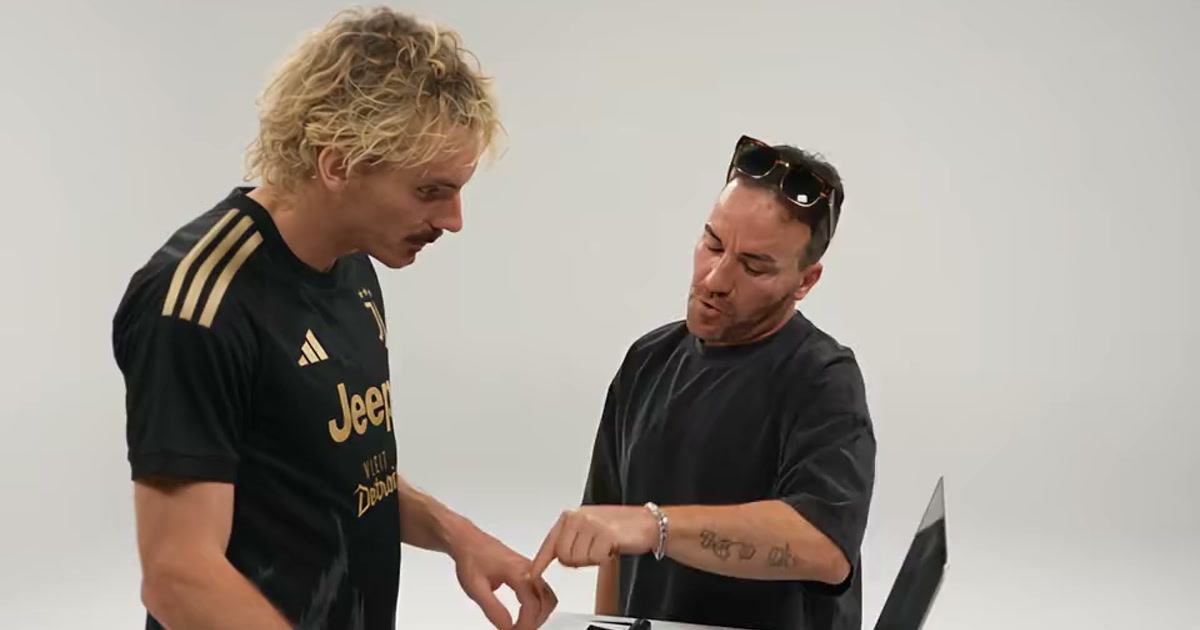
MakeTrend and apt (aptvideoai) publish /alors-on-danse plus how-to and meaning or song posts. The clip in this note is about 27 seconds, 4:3 in places, and people only — no pets. Confirm anything that can change on their pages. ViralReel is https://www.viralreel.app/alors-on-danse-ai-template. Image 1 is Keyboard Player: a straight face at the mini keyboard. Image 2 is Dance Partner: they over-commit, point at the lens, and take over the room. Swapping the photos flips the joke. The page opens on 16:9, and the duration control is 30 seconds — the landscape shape of the studio versions. Original Sketch is the vertical framing for a vertical repost. If the generator also shows 9:16 or 1:1, that control still belongs to this fixed template. It is not a blank multi-ratio prompt. A pet or a baby can be Image 2: https://www.viralreel.app/alors-on-danse-pets. The export is picture only. ViralReel does not license or export Stromae’s “Alors on danse.” Add the trend sound — the original or the Extended Mix — in TikTok, Reels, or Shorts, and turn on the AI label. Some other tools describe the sound as included or synced. That is a claim about their file, not this one. If a model menu is visible, it only picks an image-to-video engine for this fixed template. It is not a Kling 3.0 Omni prompt, not a Seedance 2.5 or Seedance Mini prompt, and not a MiniMax prompt. Paid credit packs and monthly plans export without a ViralReel watermark, at 720p and 1080p. Packs are at https://www.viralreel.app/pricing. Monthly plans are at https://www.viralreel.app/subscribe.
CapCut is a third job: an older 7-clip edit, not this AI sketch. https://www.viralreel.app/alors-on-danse-capcut. Starrd, Vidlark, Kapwing Kai, Couple AI, DanseAI, SimpEdit, MimicZip, and Tip Toe AI are in the longer table at https://www.viralreel.app/blog/best-alors-on-danse-ai-generators. That article still does not invent prices.
- Upload two photos. On ViralReel, open the Alors On Danse template and upload two clear front-facing photos — Image 1 is whoever plays the keyboard, Image 2 is whoever dances beside them. Use photos of yourself or adults who agreed. A half-body photo with the face clear works best; pets and babies take the dance role well. JPG, PNG, and WebP work.
- Pick a version and generate. Pick the version closest to the pair you are casting — Studio Giant, Original Sketch, Football Duo and more. Keep the 16:9 landscape ratio like the studio versions, check the credit cost shown before you start, and generate. The AI re-shoots the white-studio sketch around your two faces: same room, same beat, same joke.
- Download. Download the MP4 when the render finishes — about 30 seconds, with the contrast joke intact: one person plays it straight at the keyboard, the other commits far too hard beside them. Paid credit packs and monthly plans export without a ViralReel watermark.
- Add the sound and the AI label. In TikTok, Reels, or Shorts, search for the Alors on danse trend sound (the Stromae classic or the Extended Mix people use), post with a caption about who is who, and turn on the AI-generated label where the platform asks. ViralReel does not license the song.
Make the AI video from two photos · The seven versions · TikTok how-to · See pricing
FAQ
Frequently asked questions
Is ViralReel a MakeViral alternative with the song included?
No. ViralReel does not license or export the recording. You add the trend sound on TikTok, Reels, or Shorts. The file is about 30 seconds from two photos.
Do you publish MakeViral’s or apt’s price?
No. Read their pricing pages. This page only states the product differences above, including that MakeViral prices a pet differently, not their rates.
Step into the old ad from two photos
The template is on ViralReel. Pricing lists credit packs and monthly plans.