NostalgIA on TikTok
The NostalgIA TikTok trend is AI videos styled as old TV commercials. This page explains the format, the caption, and the sound — then makes you the star.
What this page is
How NostalgIA posts work on TikTok
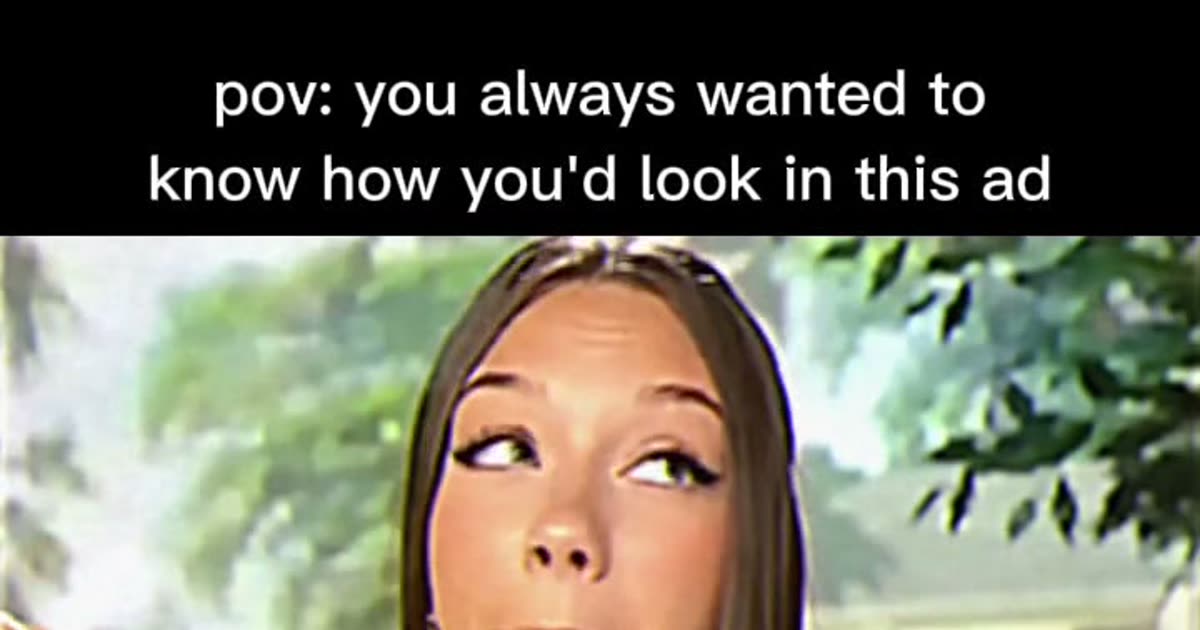
Scroll the tag and every NostalgIA post shares the same skeleton: a letterboxed SD frame that looks like a 2000s TV broadcast, a sunny backyard, a person raising a chocolate crisp bar, one bite, then a straight-to-camera pitch with an over-the-top ad smile. The caption does the joke: "pov: you always wanted to know how you'd look in this ad." The TikTok AI label sits in the corner, which is part of the honesty of the format.
The posts are AI-generated, not filmed: no camera could put today's faces inside yesterday's commercial. That is why the trend runs on tools like ViralReel — one photo is the whole production budget. Pick a lead role, generate, and the clip is ready for the sound picker.
To post: add the trend sound in TikTok (the retro jingle audio people attach), keep the pov caption format, turn on the AI label, and post natively. ViralReel does not host TikToks, is not affiliated with TikTok or the brands parodied, and does not license the audio.
- Upload one photo. On ViralReel, open the NostalgIA CapCut template and upload one clear front-facing photo of yourself (or an adult who agreed to it) — face toward the camera, chest up or half body. JPG, PNG, and WebP work. Skip group shots, sunglasses, and heavy filters.
- Generate. Leave the ratio on 9:16, check the credit cost shown before you start, and generate. The template recreates the retro TV-ad scene — the letterboxed SD picture, the backyard set, the bite, the grin — with you as the star.
- Download. Download the MP4 when the render finishes. Paid credit packs and monthly plans export without a ViralReel watermark.
- Add the trend sound and the AI label. In TikTok, Reels, or Shorts, search for the NostalgIA trend sound (or the classic candy-bar jingle people use) in the sound picker, add the "pov: you always wanted to know how you'd look in this ad" caption, and turn on the AI-generated label where the platform asks. ViralReel does not license that audio.
Make the AI video from one photo · NostalgIA CapCut comparison · TikTok how-to · See pricing
FAQ
Frequently asked questions
What caption do NostalgIA posts use?
Almost all of them use "pov: you always wanted to know how you'd look in this ad" — the caption is what tells viewers which memory the joke lands on.
Does ViralReel host the original TikToks?
No. The preview clips on the template page show the format and credit their sources. ViralReel generates a new fictional ad from your photo.
Step into the old ad from one photo
The template is on ViralReel. Pricing lists credit packs and monthly plans.