Bicep heart from photo
One photo is the only input. The face and clothes come from your photo; the smile, the sleeve push, the flex, and the heart are performed by the template.
What this page is
From one photo to a held heart
Short answer
One photo is the only input. The face and clothes come from your photo; the smile, the sleeve push, the flex, and the heart are performed by the template. Make it on ViralReel: https://www.viralreel.app/bicep-heart-ai-template. Upload one photo of a consenting adult (or your own pet) and generate a new 7-second 9:16 MP4. This is a fan-made template tool, not an official TikTok or X page, and it does not license the trend sound.
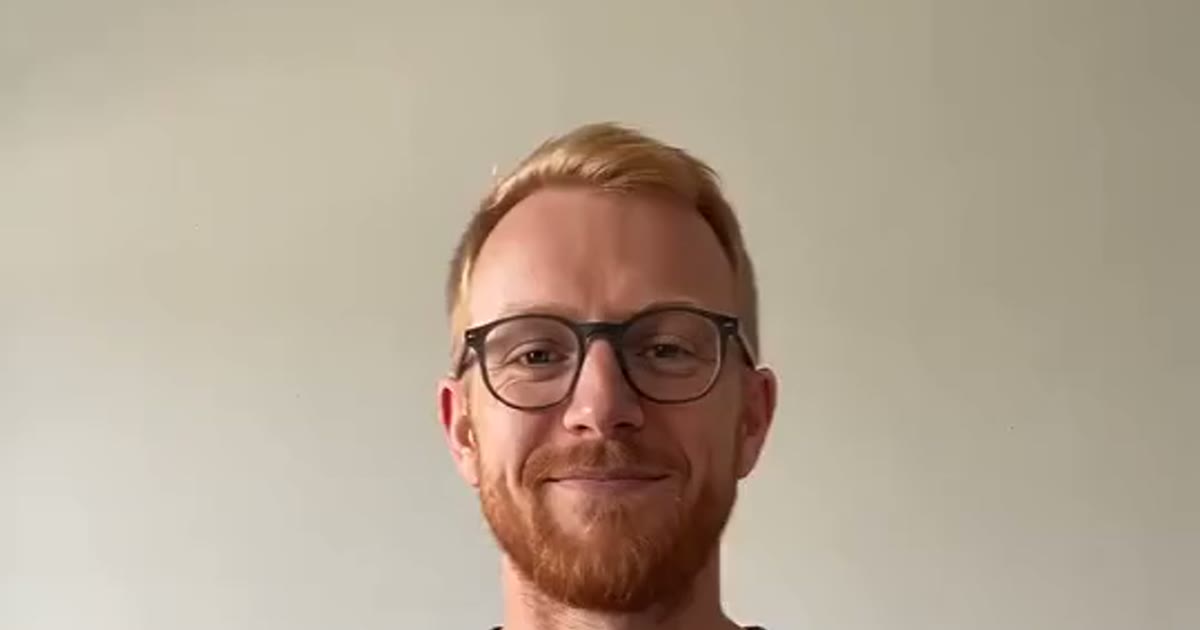
One clear photo of a consenting adult works best: waist-up, facing the camera, both arms visible and not crossed, hands free. Short sleeves or a T-shirt help, and leaving space beside both elbows keeps the raised flex inside the frame. A vertical photo in a calm, tidy room works best — the render keeps your photo's setting, so the heart happens in your own room, not a studio you have never seen.
Make it at https://www.viralreel.app/bicep-heart-ai-template. The nine sets are Gym Buff Heart, Everyday Heart, Cat Bicep Heart, Dog Bicep Heart, Original Trend, and four new trend replays (the have-you-heard opener, the trend boy, the tattoo girl, and the black tank heart). The render takes about 2–3 minutes; the download is a new silent 7-second 9:16 MP4. The same photo can be re-run in a different set without uploading again, and failed jobs are refunded.
The export is silent. Add the bicep heart trend sound inside TikTok, Reels, or Shorts from that app's library, and turn on the AI-generated label. ViralReel does not license the trend audio. Results and hand placement can vary between renders — watch the whole clip before you post, and re-roll if the heart did not close cleanly.
- Pick a heart set. On ViralReel, open the Bicep Heart Trend template and pick one of nine sets: Gym Buff Heart, Everyday Heart, Cat Bicep Heart, Dog Bicep Heart, Original Trend, or one of the four new trend replays. The pose stays the same; who flexes changes.
- Upload one photo. The generator shows a single slot labeled Your Photo. Use one clear photo of an adult who agreed: waist-up, facing the camera, both arms in view and not crossed, short sleeves work best, leave room beside both elbows. Do not upload minors, celebrities, or public figures.
- Keep 9:16 and 7 seconds. The page opens on 9:16 and a fixed 7-second length — the same shape and duration as the viral clips. Choose the resolution and read the credit cost shown before you generate. The result is a new AI clip, not a copy of another creator's video.
- Download, add the trend sound, and label it AI. Download the MP4. It is silent: in TikTok, Reels, or Shorts, add the bicep heart trend sound from that app's library and turn on the AI-generated label. ViralReel does not license the trend audio. Caption ideas people use: "have you ever heard of a bicep heart...", "im sad please send bicep hearts", or "send this to a special someone".
Make the bicep heart from one photo · Credit pack pricing · Monthly plans
FAQ
Frequently asked questions
Will I keep my own clothes and room?
Yes. The face, hair, outfit and background come from your photo. The motion is the only thing the template supplies.
Can a group photo work?
No. The bicep heart is a one-person pose. Use a single-subject photo, or run each person separately.
Where do I make it?
Make it on ViralReel at https://www.viralreel.app/bicep-heart-ai-template. Upload one photo of a consenting adult (or your own pet), generate a new 7-second bicep heart clip, and download the MP4. ViralReel does not license the trend audio.
What are the photo requirements?
One clear photo of a consenting adult: waist-up, facing the camera, both arms visible and not crossed, hands free. Short sleeves help, and leaving space beside both elbows keeps the flex in frame. No minors, celebrities, public figures, or photos scraped from the web.
How many credits does it cost?
ViralReel charges credits, and the Bicep Heart generator shows the exact cost before you start. On the current credit table, 480p / 8s is 32 credits, 720p / 8s is 40 credits (about $3.33 at 12 credits = $1), 720p / 12s is 60 credits, and 1080p / 15s is 90 credits. One-time packs start at $9.9 (90 credits) at https://www.viralreel.app/pricing. Monthly plans start at $9.9/mo (90 credits) at https://www.viralreel.app/subscribe; Plus is $19.9/mo (200 credits) and Pro is $39.9/mo (500 credits). Top-ups are 12 credits = $1.
Are paid exports watermark-free?
Paid credit packs and monthly plans export without a ViralReel watermark, at both 720p and 1080p. Every pack and plan is listed at https://www.viralreel.app/pricing.
Are failed jobs refunded?
Credits are deducted when a generation is accepted. If that job fails or is canceled, including when the model rejects the photo, those credits return to your balance. Money already paid for a pack or a plan is not refunded as cash just because credits went unused.
Is this an official page?
No. ViralReel (viralreel.app) is an independent AI video template site. It is not affiliated with TikTok, X, or the creators who started the trend, and it does not license the trend audio.
Close a little heart from one photo
The template is on ViralReel. Credit packs are on pricing. Monthly plans are on subscribe. The export is silent; add the sound in the app.