
Short answer: use one photo you have permission to use. Frame waist-up or full body, face the camera, and keep real glasses in the shot if you wear them. No sunglasses and no masks. On ViralReel that photo becomes a new 8-second 9:16 MP4 at https://www.viralreel.app/charlie-brown-christmas-ai-template. A living pet needs the full body. Do not upload a minor, a celebrity, or a screenshot of the 1965 special. After the MP4 downloads, keep the AI label on. ViralReel does not license the trend sound or Vince Guaraldi.
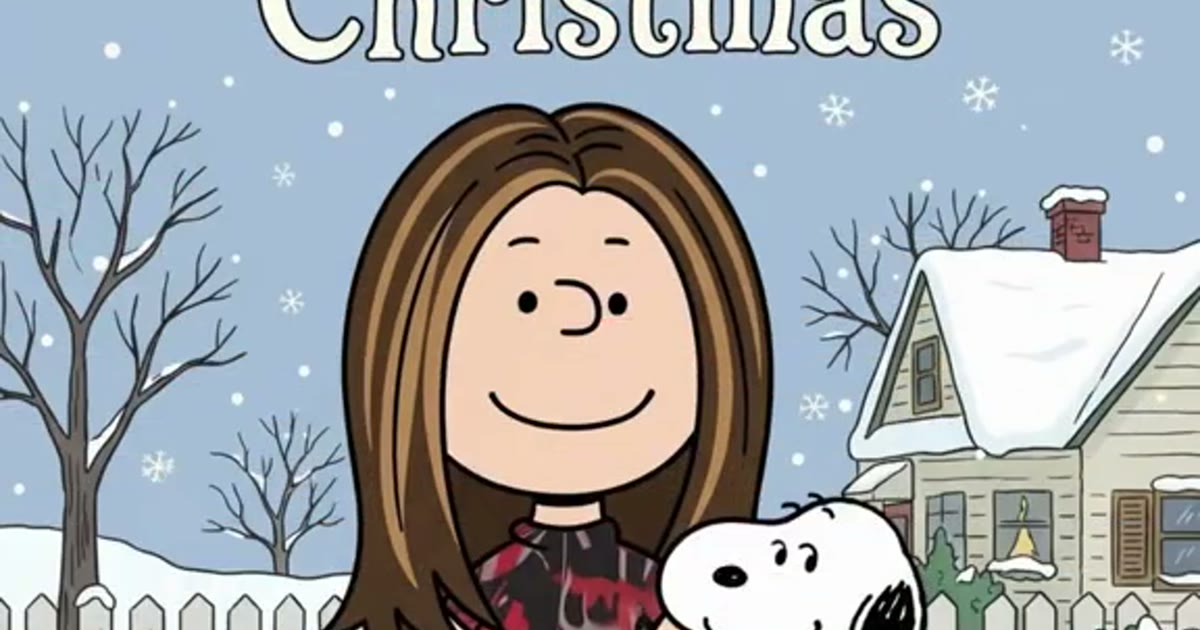
The photo the scan line can use
The generator does not ask you to describe the doghouse. The clip already has the title, the scan line, and the snow. Your file only has to be a person or a pet the model can lock onto.
- Face the camera. A slight angle is fine. A profile, or the back of a head, gives the cartoon almost nothing to keep.
- Keep real glasses in frame. The dot eyes sit under your own frames. That is the detail people recognize. Sunglasses hide it. A mask hides the mouth and the cheeks.
- Waist-up, or full body. The finished cartoon stands on the doghouse from head to feet. A tight headshot can still run. It gives the pose less of you to hang on.
- Hair and outfit in frame. The redraw keeps hairstyle, facial hair, and the colors and prints of the clothes as flat shapes. A hat you want to keep has to be in the photo.
- Even light in front. A window behind the person turns them into a silhouette, and the flat colors have nowhere clean to sit.
- One subject. A group selfie makes the model guess which face to draw. Crop to one person, or render each adult who agreed as a separate pass.
The step-by-step is how to make a Charlie Brown Christmas AI video. Friends and family, one photo at a time, are with friends.
Which clip matches the photo
Seven clips share the redraw and change the cast:
- Glasses Redraw is the signature look: everyday glasses, dot eyes under the frames.
- Countdown Classic is the casual pose people caption with the days left until Christmas. The number goes in the TikTok, Reel, or Short caption. It is not burned in from the 1965 title sequence.
- Car Cameo keeps an everyday outfit from a photo taken in a car.
- Family Elders is one older adult who agreed. Grey hair, glasses, and a cardigan stay as flat shapes.
- Harry Look is round dark frames and messy hair. It does not generate a celebrity.
- Title Card keeps the hand-lettered “A Charlie Brown Christmas” readable across the top.
- Fresh Redraw wants the full body in frame, which is also the better pet photo.
The length locks at 8 seconds. The frame is vertical 9:16. You do not write a prompt to get the doghouse.
A living pet
Use one photo of the pet alone. Full body in frame, face visible, eyes uncovered. Results vary. The template is written for a person, so a pet is a try, not a guarantee that the animal will read as Snoopy.
This is not a memorial for a pet that has passed. The pet page is Charlie Brown Christmas pets. A photoreal still of a person beside Snoopy is a different wave, “foto con Snoopy”. That split is Snoopy AI photo.
What not to upload
Do not upload a minor, a celebrity, a stranger, or a screenshot of the 1965 special. Permission is not replaced by the AI label. ViralReel is not affiliated with Peanuts Worldwide, the Charles M. Schulz estate, Apple, CapCut, or TikTok.
CapCut’s “A Charlie Brown” template can paste a group from one photo and needs 2 clips. Checked 3 November 2026, that template showed 25,852 uses. ViralReel does not auto-split a group. The comparison is filter versus CapCut.
After the file exists
Read the credit cost before you generate. Download the MP4. Paid credit packs and monthly plans export without a ViralReel watermark. Packs start at $9.9. The download is picture. If you want sound, add it from TikTok, Reels, or Shorts. ViralReel does not license “Christmas Time Is Here”, “Linus and Lucy”, or the trend sound. Turn on the AI label where the app asks.
Credit packs are on pricing. Monthly plans are on subscribe. The 3 November 2026 generator roundup is best Charlie Brown Christmas AI generators.
ViralReel charges credits, and the A Charlie Brown Christmas generator shows the exact cost before you start. On the current credit table, 480p / 8s is 5 credits, 720p / 8s is 10 credits (about $0.83 at 12 credits = $1), 720p / 12s is 15 credits, and 1080p / 15s is 36 credits. One-time packs start at $9.9 (90 credits) at https://www.viralreel.app/pricing. Monthly plans start at $9.9/mo (90 credits) at https://www.viralreel.app/subscribe; Plus is $19.9/mo (200 credits) and Pro is $39.9/mo (500 credits). Top-ups are 12 credits = $1.