Catrina AI filter
People searching "Catrina AI filter" want the reveal they saw in the feed. Here is where that effect actually lives, and the browser way to run it.
What this page is
The filter, the template, and the generator
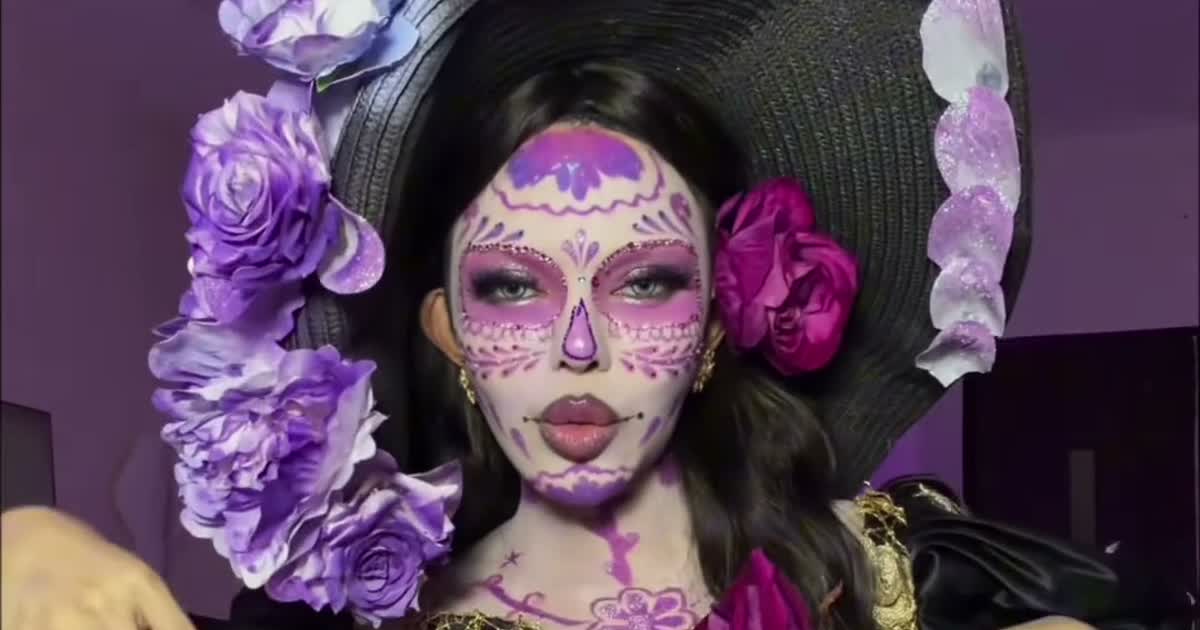
There is no standalone "Catrina AI filter" button in TikTok's effect tray — what viewers call the filter is the reveal clip traveling as the CapCut template named Sasha La Catrina. You tap "Use template", add one photo, and CapCut cuts your face into the fixed reveal. It works, but the face is pasted, not rebuilt.
ViralReel's generator is the rebuilt version: at https://www.viralreel.app/sasha-la-catrina-ai-template you pick one of seven reveal samples, upload one photo, and the model renders the whole person — face, hair and build stay yours under the sugar-skull paint, the gown and the candle light are generated around you, and the sample's length and sound are kept.
Either way, label the post as AI-generated when the platform asks. The look only reads honestly when people know the paint was drawn, not painted.
- Pick a reveal, upload one photo. Open the Sasha La Catrina template, pick the reveal you want from the sample list — the flower toss, the ofrenda hands-over-face, the Catrín, or the pet versions — and upload one clear front-facing photo. Face toward the camera, hands away from the face, waist-up if you want the gown. For a pet, a photo where the whole head and its markings show. JPG, PNG, and WebP work.
- Generate the transformation. The clip's reveal, camera, gown and sound are all pre-built — your photo only supplies the face. Check the credit cost shown before you start and generate. The AI keeps your face under the sugar-skull paint and rebuilds the gown, the candles and the petals around it at the clip's own length.
- Download the MP4. Download the vertical MP4 when the render finishes — the reveal lands on the marigold light, with the sample's original sound already kept. Paid credit packs and monthly plans export without a ViralReel watermark.
- Post with the trend sound and the AI label. Post on TikTok under #fairytalecatrina, #lacatrina and #sashalacatrina — or on Reels and Shorts. If the sound is missing from your download, add "Adiós señora bonita" (from The Book of Life) from the in-app library, and turn on the AI-generated label where the platform asks. The trend peaks on Día de Muertos, November 1-2.
Turn one photo into Catrina · The seven reveals · TikTok posting guide · See pricing
FAQ
Frequently asked questions
Is there a real Catrina filter in TikTok?
There are Día de Muertos-themed effects, but the viral reveal travels as the Sasha La Catrina CapCut template, not an effect. That is why every post looks like the same clip with a different face.
Does the filter keep my face?
CapCut pastes your face onto the clip's face. ViralReel keeps your actual face under the paint — face shape, skin tone, eye colour and hair colour come from your photo and stay yours.
Come back as Catrina while the marigolds are up
The template is on ViralReel. Pricing lists credit packs and monthly plans.