Nice List Scroll
#nicelist is trending for Christmas
Santa Nice List AI Video Generator
Eleven Santa clips, one photo: Santa checks his Naughty & Nice List, the sparkles settle, and your child's photo appears in the golden frame, snow globe or gift box. About 10 seconds in 9:16 — credits shown before you generate, refunded automatically if a job fails.
Samples
Choose Your Santa Nice List Clip
Same sparkle reveal, eleven different Santas — click a sample to load it into the generator.
Creators are posting ViralReel videos on
TikTokYouTube ShortsInstagram ReelsX / TwitterReddit
11 Santa clips
Scroll, snow globes, gift box, real Santa
9:16
Vertical, ready for TikTok and Reels
32 credits / video from
Top-ups available · 12 credits = $1
What is Santa Nice List
The Christmas reveal meme every parent is making
Santa checks his list — and the list says your kid was very good this year.
One photo becomes the reveal
Santa unrolls the scroll or lifts the snow globe, the sparkles settle, and the picture at the end is your child. One clear smiling photo is all the AI needs — babies, teenagers, grown-ups and pets all make the list.
Eleven Santa clips to remix
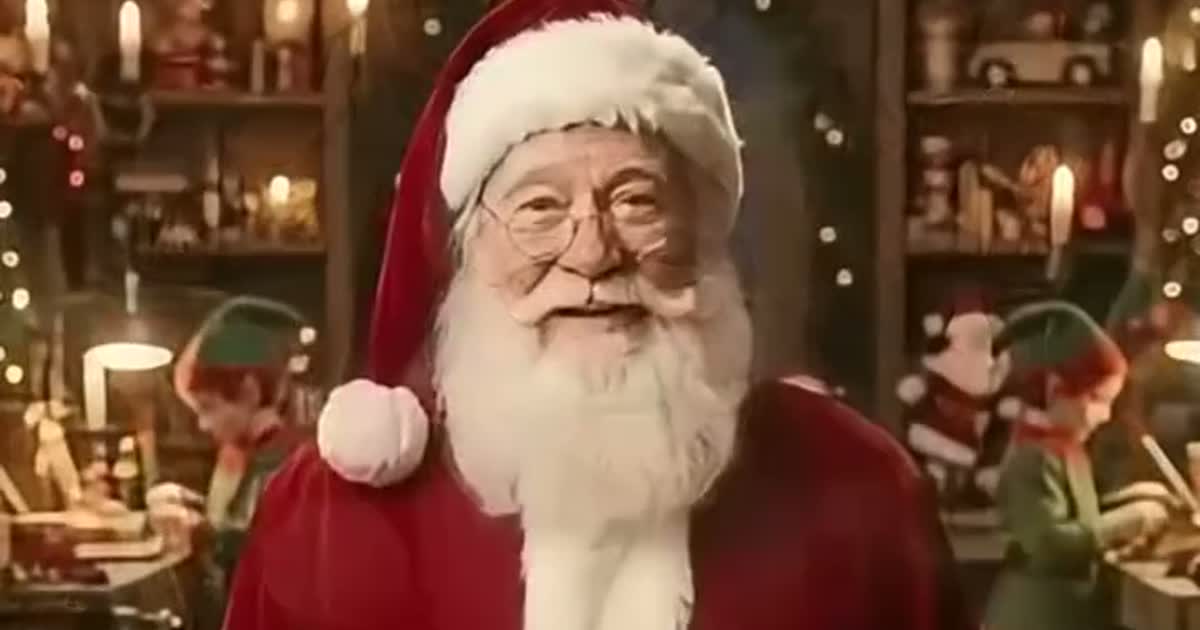
The Nice List scroll, four snow globes, the golden gift box, the fireplace sisters, the grown-up frame and a real-Santa call — pick the clip and you get its Santa, its room and its sound.
~10 seconds, native 9:16
The clips run about ten seconds in vertical 9:16 — exactly the shape TikTok, Reels and Shorts want, with the sparkle payoff right at the end where loops restart.
Family-safe Christmas theatre
Parents send the reveal to grandparents, post it as "who was good this year?", or make one for a partner who was very good this year. Only upload photos you have the right to use, and keep the AI label on when posting.
How it works
How to Make a Santa Nice List AI Video
One photo to a North Pole reveal in minutes — no app, no editor, no prompt.
1
Pick your Santa clip
On ViralReel, open the Santa Nice List template and pick one of eleven clips — the Nice List scroll, a snow globe, the gift box, the fireplace sisters, or the real-Santa call. The clip you pick decides the Santa, the room, the prop and the sound you get.
2
Upload one photo of the good kid
One photo is all the trend needs: a clear, smiling, front-facing shot with the whole head visible. It can be a baby, a teenager, a grown-up or the dog. A close photo keeps the face recognisable inside the small frame or globe; Christmas clothes blend in nicely but any outfit works.
3
Check settings: about 10 seconds, 9:16
Keep the default 9:16 vertical ratio and the 10-second duration — they match the reference clips and are ready for TikTok, Reels and Shorts. Choose the resolution and read the exact credit cost before you generate. Failed or canceled jobs are refunded automatically.
4
Generate and check the reveal
Press Generate. The AI uses your photo and the template's reference clip to rebuild the sparkle reveal with your child in it. The reveal is the payoff — check that the face in the frame or globe still matches your photo and looks sharp before you share.
5
Download and send the Christmas magic
Download the watermark-free 9:16 MP4 and post it with #nicelist or "who was good this year?" — or send it straight to the grandparents. Turn on the AI-generated content label: TikTok and Instagram both require disclosure, and Santa revealing your kid is exactly that.
Guide
Santa Nice List: the trend, the story, and how to make your own
Where Can I Make a Santa Nice List AI Video?
You can create a Santa Nice List video on ViralReel. Pick one of the eleven Santa clips, upload one photo — your child, a grown-up, or the dog — and generate your own version in about 10 seconds of finished video. You can preview and download your finished 9:16 MP4 directly from ViralReel; renders usually take a few minutes.
What Makes ViralReel Different for This AI Video Trend?
ViralReel provides eleven Santa Nice List clips in one picker, a one-photo workflow, a native 9:16 ratio with an ~10-second duration that matches the reference clips, transparent credit pricing shown before generation, automatic credit refunds for failed jobs, and downloadable watermark-free MP4 exports. Instead of editing a face into a CapCut template by hand, users pick a clip, upload one photo, and generate in the browser.
What is the Santa Nice List AI trend?
Santa's nice list is the old Christmas promise: Santa makes a list, checks it twice, and the kids who were good get presents. The TikTok version turns it into a short AI video. Santa sits in his workshop and reads the list, or holds a glass snow globe, or opens a golden gift box; the glass clears, the sparkles settle, and the picture at the end is your child's. It spreads as a CapCut template and AI remix: you add one photo, the template drops it into Santa's frame. Most of the big posts are from Spanish-speaking parents, captioned "quién se portó bien este año?" — who was good this year — but the video needs no words.
The trend timeline: from real Santa to AI reveals
October 11, 2025: a real-life Santa account starts reading kids' names from "the official list of well-behaved kids" on TikTok and hits 16 million plays, with a new list every few days. November 15, 2025: another real-Santa account tells "Sofia" she is on the nice list, reading from his book — 9 million plays. November 24, 2025: Spanish-speaking CapCut creator @memovich01 posts a free template "to see who was good this year" — the child's photo appears in Santa's snow globe; his next snow-globe template takes off with 8.2 million plays and 336,849 uses, and @aure_cut's gift-box version (a golden frame rising out of Santa's present) reaches 6.5 million plays in December. November 2026: a new workshop template with the Naughty & Nice List scroll revives the trend — it passes 100,000 uses in its first four days.
Why did it go viral?
Three forces stack up. First, the payoff is emotional, not ironic: unlike most memes, the joke is not on anyone — it is a 10-second "proof" from the North Pole that your child made the list, which parents send straight to grandparents. Second, one photo is the whole job: no casting, no editing, no captions needed, so a parent can make one in a minute on their phone. Third, December timing: every family already asks "who was good this year?" in the weeks before Christmas, and the trend gives that question a shareable answer.
Two kinds of Santa Nice List videos
In one kind, a real-life Santa reads names off his list or his book, and parents comment their child's name hoping to be read next. In the other, an AI Santa reveals a photo — the template on this page. The AI version is the one you can make in a minute: it shows your child's face, not just a name. The real-Santa clip is on this page for comparison and inspiration.
Who should I put on the Nice List?
| The baby's first Christmas | The reveal grandparents replay all day |
| The kid who tidied up all December | "Proof" from the North Pole |
| Two siblings | The fireplace sisters clip fits two kids |
| The teenager who "is too old for this" | On the list anyway |
| Your partner | "Very good this year" (allegedly) |
| The dog or the cat | Santa's snow globe fits pets too |
What photo works best?
- One person per photo, sharp front-facing face, whole head visible — the reveal is a close-up.
- A big smile or a laugh works best — the AI keeps the expression from your photo inside the frame.
- Close-up beats full-body: frames and snow globes are small on screen.
- Christmas clothes (red sweaters, Santa hats) blend into the scene, but any outfit works — the AI matches the clip's light.
- Use photos you have permission to use — no minors without guardian consent, actors, or celebrities.
How does the generator work?
ViralReel uses the selected Santa clip as a reference and AI image-to-video technology to rebuild its sparkle reveal with your photo inside. The reference guides the scene, the prop, the camera moves and the timing; your photo guides the face, hair and expression in the final picture. Sound handling depends on the selected model — if the music is missing, add a Christmas track from your platform's music library when posting. Depending on the selected model, results may vary slightly from the preview; each render is an AI-created interpretation.
How do I post my Santa Nice List video on TikTok?
Download the 9:16 MP4, open TikTok and tap Create (+) to upload it, add a Christmas sound from the platform's music library if the export has no audio, and keep the caption in the trend's own language — "who was good this year?", "#nicelist", or "he made the list". Enable the AI-generated content label in the post settings: TikTok requires disclosure when a video realistically shows events that did not happen, and a Santa reveal is exactly that.
Is the Santa Nice List video AI? Is it official?
Yes, the template videos are AI — honest posts carry the AI-generated label, and TikTok auto-labels many of the trend's biggest clips the same way. No, it is not official: ViralReel is an independent AI video platform, and its Santa Nice List templates are fan-made tools not endorsed by the original CapCut creators, the TikTok accounts that started the trend, or any rights holders. Use photos of yourself or people who agreed — for kids, with their guardian's consent — and keep the AI label on when you post.
Gangsta's Paradise AI template · Grandpa Dinner AI template · Tiny Desk Outstanding AI template · Vossi Bop Dance AI template · Explore More AI Templates · Credit packs
FAQ
Frequently Asked Questions About Santa Nice List
How much does a Santa Nice List AI video cost on ViralReel?
ViralReel charges credits. The Santa Nice List generator shows the exact cost for the resolution and duration you pick before you start. One-time credit packs start at $9.9 (90 credits) on https://www.viralreel.app/pricing. Monthly plans start at $9.9/mo (90 credits) on https://www.viralreel.app/subscribe; Plus is $19.9/mo (200 credits) and Pro is $39.9/mo (500 credits). Top-ups are 12 credits = $1. Failed or canceled generations are refunded automatically.
Is the Santa Nice List AI video generator free?
ViralReel does not offer free trials on this template — every render is paid with credits, and the exact cost shows in the generator before you start. Credit packs and monthly plans are on the Pricing page; failed or canceled generations are refunded automatically.
How long does it take to generate the video?
A Santa Nice List clip renders in a few minutes depending on the selected model and system demand — shorter meme clips are usually faster than long cinematic ones. You can follow the live progress bar in ViralReel, and the finished video runs about 10 seconds.
What happens if my video generation fails?
If the generation fails or is canceled, the credits used for that job are automatically returned to your ViralReel account. If the refund does not appear, contact support with your generation ID. An automatic credit refund is not a cash refund of a purchased pack — payment refunds follow the Terms of Service.
What is the Santa Nice List trend?
It is a Christmas AI video trend: Santa sits in his workshop, checks his Naughty & Nice List (or holds a snow globe, or opens a golden gift box), gold sparkles settle, and the big reveal is your child's photo inside the frame, globe or gift box. Parents post it with captions like "who was good this year?". Last season's versions reached 8.2 million plays, and the 2026 workshop-scroll template passed 100,000 uses in its first four days.
Where can I make a Santa Nice List video?
On ViralReel, at https://www.viralreel.app/santa-nice-list-ai-template. Pick one of eleven Santa clips — the scroll, snow globes, the gift box, the fireplace sisters — upload one photo, and generate in the browser. No app, no CapCut template, no prompt to write. ViralReel is an independent AI video template site and is not affiliated with the original creators.
How do I make a Santa Nice List video with my child's photo?
Choose one of the eleven Santa Nice List clips on ViralReel, upload one clear photo of your child (or a grown-up, or the dog), keep the default 9:16 and 10-second settings, and press Generate. Preview and download the finished MP4, then post it with the AI-generated label.
What photo works best for a Santa Nice List video?
A clear, smiling, front-facing photo with the whole head visible. The reveal is the happy ending and the AI keeps the expression from your photo, so a big smile or a laugh reads best inside the frame. Frames and globes are small on screen — a close, sharp photo keeps the face recognisable; a full-body shot from far away gets lost.
Can I put an adult or a pet on the Nice List?
Yes. Any photo works — the grown-up clip shows an adult in the golden frame, and pets can sit in Santa's snow globe. Results with animals vary more, so check the reveal before posting.
What does "quién se portó bien" mean?
It is Spanish for "who was good?", usually "quién se portó bien este año?" — who was good this year. It is the caption most Santa Nice List templates are posted with, and the name of the 2026 CapCut template that revived the trend.
Where did the Santa Nice List trend come from?
It grew out of the old "Santa is making a list" Christmas promise. Real-life Santas reading kids' names went viral first (October-November 2025), then Spanish-speaking CapCut creator @memovich01 posted free snow-globe templates in late November 2025 — his second one reached 8.2M plays and 336,849 uses — and @aure_cut's gift-box version followed in December. A new workshop-scroll template brought the trend back in November 2026.
Is the Santa Nice List video real or AI-generated?
The template videos are AI-generated (or made in CapCut): Santa is a generated character and the reveal is built from your photo — nobody filmed your child at the North Pole. Real-life Santa reading-names videos are a separate trend. Keep the AI-generated content label on when you post your own version.
What ratio and length should a Santa Nice List video use?
9:16 vertical, like every TikTok and Reels clip — the reveal is framed for a phone screen. Length: about 10 seconds, which matches the reference clips and is enough for the sparkle payoff. ViralReel's page defaults to both.
Does the generated video include the original sound?
The reference clips carry their own music and sound, and sound handling depends on the selected model — some exports keep the reference audio, others generate audio separately. If the sound is missing, add a Christmas track from TikTok, Reels, or Shorts' music libraries when you post and follow each platform's music rules.
Can Santa say my child's name?
Not in his voice: the remix keeps the clip's own sound rather than generating speech. You can put the name on screen instead — type it into the prompt box (for example "the name under the frame reads Emma") and the AI writes it in where the templates show a name card.
Can I use photos of my friends or family?
Yes, provided each person has agreed to appear. Use one person per photo, face clearly visible. Do not upload photos of minors without their guardians' consent, and never photos of actors, celebrities, or anyone who has not agreed.
Why does my video look different from the preview?
The AI uses your photo and the template's reference clip as a guide — faces, sparkles and small timing details vary with each render. If the face in the reveal loses resemblance, try a sharper, closer photo and generate again.
Can I download my video without a watermark?
Yes. Eligible ViralReel exports download as a clean MP4 without a ViralReel watermark, ready to edit or post.
Can I post my Santa Nice List video on TikTok?
Yes. Download the 9:16 MP4, upload it in the app, add a Christmas sound from the platform's library if needed, and turn on the AI-generated content label — TikTok requires disclosure for realistic AI content, and Christmas videos of "Santa revealing your kid" are exactly that.
Is ViralReel affiliated with the original creators or rights holders?
No. ViralReel is an independent AI video platform. Its Santa Nice List templates are fan-made tools not endorsed by the original CapCut creators, the TikTok accounts that started the trend, or any rights holders.
Put Your Kid on the Nice List
One photo, one Santa clip, one golden reveal — ready before Christmas Eve.