Sasha La Catrina AI label
Label the Sasha La Catrina post as AI on TikTok, Reels, or Shorts. The file is a new reveal of your photo, not real face paint and not a licensed song.
What this page is
Where the label goes
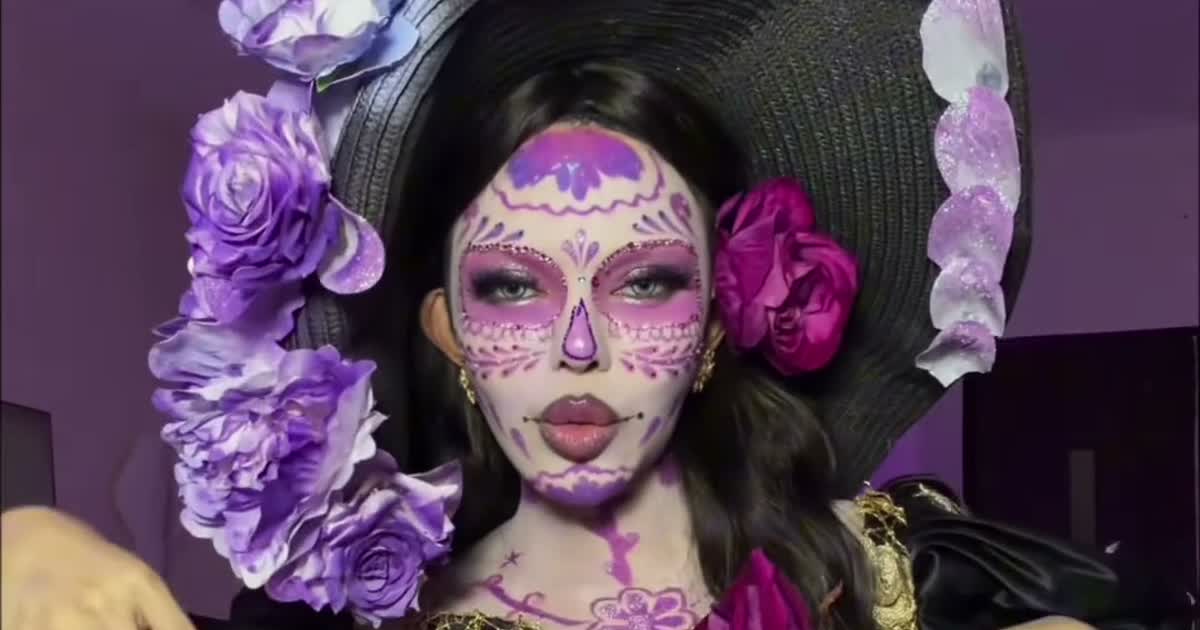
Sasha la catrina ai label is a posting step, not a switch inside the MP4 that replaces the platform’s own disclosure. Make the file at https://www.viralreel.app/sasha-la-catrina-ai-template. Download the MP4. In TikTok, Reels, or Shorts, turn on the AI-generated label where that app asks. Tags that file the clip under the wave are #fairytalecatrina, #lacatrina, and #sashalacatrina. The wave is busiest on Día de Muertos, November 1–2.
If the download is silent, add “Adiós señora bonita” from that app’s library. The sound page is https://www.viralreel.app/sasha-la-catrina-sound. TikTok notes are https://www.viralreel.app/sasha-la-catrina-tiktok. Reels are https://www.viralreel.app/sasha-la-catrina-instagram. Shorts are https://www.viralreel.app/sasha-la-catrina-youtube-shorts.
Use a photo of yourself, your family, or your living pet. Do not upload a minor on their own, a celebrity, or a stranger. Do not pass the file off as real face paint, and do not use a pet that has passed as a memorial. ViralReel is not affiliated with Đan Thy, The Book of Life rights holders, CapCut, TikTok, or ViralRemix. An AI label does not make a celebrity upload allowed, and it does not turn a living-pet costume into a memorial. Paid credit packs and monthly plans export without a ViralReel watermark, at 720p and 1080p. Packs are at https://www.viralreel.app/pricing. Monthly plans are at https://www.viralreel.app/subscribe.
- Pick a reveal, upload one photo. Open the Sasha La Catrina template, pick the reveal you want from the sample list — the flower toss, the ofrenda hands-over-face, the Catrín, or the pet versions — and upload one clear front-facing photo. Face toward the camera, hands away from the face, waist-up if you want the gown. For a pet, a photo where the whole head and its markings show. JPG, PNG, and WebP work.
- Generate the transformation. The clip's reveal, camera, gown and sound are all pre-built — your photo only supplies the face. Check the credit cost shown before you start and generate. The AI keeps your face under the sugar-skull paint and rebuilds the gown, the candles and the petals around it at the clip's own length.
- Download the MP4. Download the vertical MP4 when the render finishes — the reveal lands on the marigold light, with the sample's original sound already kept. Paid credit packs and monthly plans export without a ViralReel watermark.
- Post with the trend sound and the AI label. Post on TikTok under #fairytalecatrina, #lacatrina and #sashalacatrina — or on Reels and Shorts. If the sound is missing from your download, add "Adiós señora bonita" (from The Book of Life) from the in-app library, and turn on the AI-generated label where the platform asks. The trend peaks on Día de Muertos, November 1-2.
Turn one photo into Catrina · The seven reveals · TikTok posting guide · See pricing
FAQ
Frequently asked questions
Does ViralReel stamp the AI label into the MP4?
The disclosure you turn on is the one TikTok, Reels, or Shorts asks for when you post. Add it there.
Is the label a substitute for permission to use a photo?
No. Use yourself, family who agreed, or your living pet. No minors on their own, and no celebrities.
Come back as Catrina while the marigolds are up
The template is on ViralReel. Pricing lists credit packs and monthly plans.