Wassup in a Minute from one photo
One photo is enough. It becomes one original character swaying on white. It does not invent the other three people from the original edit. The same template also accepts two, three, or four photos.
What this page is
One photo is not the four-person edit
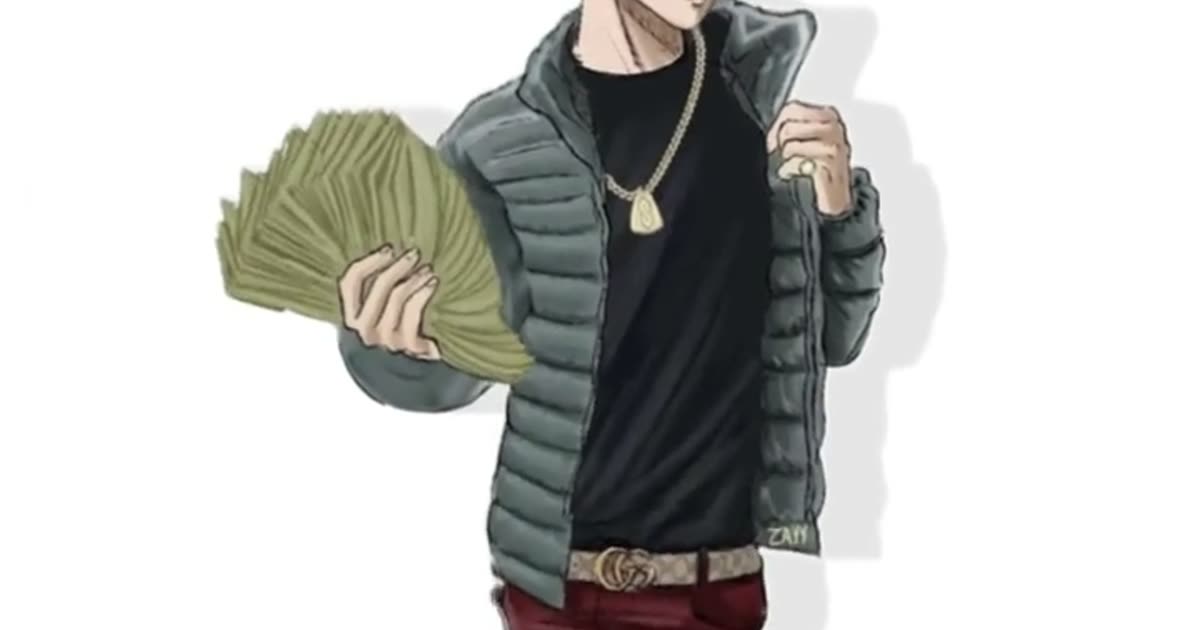
Wassup in a minute one photo works on https://www.viralreel.app/wassup-in-a-minute-ai-template. One photo is one character. That is not the original four-character rotation. ViralReel lines up one to four adults who agreed, one person per photo. It does not auto-split a group shot. MakeViral, at https://www.makeviral.ai/templates/wassup-in-a-minute-ai-trend, is the one-photo comparison people mean: about 10 seconds, sound baked in, described as Kling 3.0, credits, and a no-watermark claim on their terms. ViralReel’s one-photo file is 15 seconds and picture-only.
Jump can put several people in one frame. angles uses four poses of the same person. Neither of those is what a single ViralReel slot does. A group selfie in the only slot is a weak source. Crop to one face.
ChatGPT can explain this. ViralReel renders the MP4. A reference track, a take, or a demo beat on another site is not a license for the jersey-club remix of Drake’s “From Time.” ViralReel’s export is picture-only. Add the trend sound on TikTok, Reels, or Shorts, and turn on the AI label. No minors, no celebrities, and no Blue Lock or other show characters. ViralReel is not affiliated with Drake, Jhené Aiko, the remix makers, or the trend originators. The generator shows the credit cost before you render. A new account starts with free credits for a first template video. That is not free forever. Packs are at https://www.viralreel.app/pricing. This page does not invent other sites’ prices. Four separate photos are https://www.viralreel.app/wassup-in-a-minute-four-photos.
- Upload your photos. On ViralReel, open the Wassup in a Minute template and upload one to four clear photos of people you have permission to use — face toward the camera, knees up or full body. JPG, PNG, and WebP work. Skip group shots, sunglasses, and heavy filters.
- Generate. Leave the ratio on 9:16. This template exports 15 seconds. Check the credit cost shown before you start, and generate. Everyone is drawn as an original streetwear anime character on a white background, then animated with the side-to-side sway. “In a minute” is the lyric, not the render time.
- Download. Download the MP4 when the render finishes. Paid credit packs and monthly plans export without a ViralReel watermark.
- Add the trend sound and the AI label. In TikTok, Reels, or Shorts, search "wassup in a minute" in the sound picker and add the jersey-club trend sound, then turn on the AI-generated label where the platform asks. ViralReel does not license that audio.
Make the AI video from one photo · What the meme is · TikTok how-to · See pricing
FAQ
Frequently asked questions
Will one selfie become four characters?
No. One photo is one character. The original edit’s four-person rotation needs four photos if you want four people.
Is ViralReel one-photo-only, like MakeViral?
No. One photo works. Two, three, and four also work, one adult per photo.
Make your swaying character from one photo
The template is on ViralReel. Pricing lists credit packs and monthly plans.