Wassup in a Minute with a pet
You can try a photo of a living pet in a Wassup slot. The template is written for people and redraws the upload as an original streetwear anime character, so the result varies. This is not a memorial.
What this page is
What a pet upload actually does
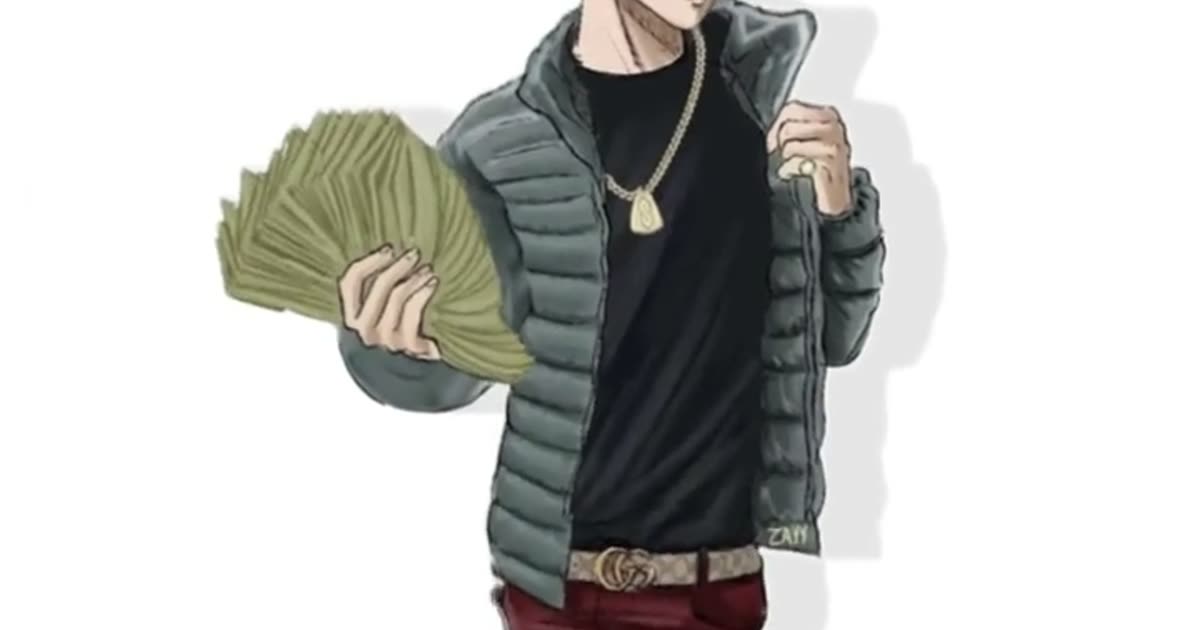
Wassup in a minute pets is allowed as a try, not as a pet costume with its own card. https://www.viralreel.app/wassup-in-a-minute-ai-template draws “uploaded people” as original characters in Money Fan, Puffer Classic, All Black, Jersey Look, or Heavyweight. A dog or a cat does not stay a guaranteed animal. The face, the body, and the clothes can all move. Results vary.
Use a living pet you have the right to photograph. Do not use this page as a memorial for a pet that has died. Do not upload minors, even next to the pet. One subject per photo. A person and a pet in one frame makes the model guess. One photo is one character. That is not the original four-character rotation. ViralReel lines up one to four adults who agreed, one person per photo. It does not auto-split a group shot.
ChatGPT can explain this. ViralReel renders the MP4. A reference track, a take, or a demo beat on another site is not a license for the jersey-club remix of Drake’s “From Time.” ViralReel’s export is picture-only. Add the trend sound on TikTok, Reels, or Shorts, and turn on the AI label. The generator shows the credit cost before you render. A new account starts with free credits for a first template video. That is not free forever. Packs are at https://www.viralreel.app/pricing. This page does not invent other sites’ prices. Friends who agreed, without the pet question, are https://www.viralreel.app/wassup-in-a-minute-with-friends.
- Upload your photos. On ViralReel, open the Wassup in a Minute template and upload one to four clear photos of people you have permission to use — face toward the camera, knees up or full body. JPG, PNG, and WebP work. Skip group shots, sunglasses, and heavy filters.
- Generate. Leave the ratio on 9:16. This template exports 15 seconds. Check the credit cost shown before you start, and generate. Everyone is drawn as an original streetwear anime character on a white background, then animated with the side-to-side sway. “In a minute” is the lyric, not the render time.
- Download. Download the MP4 when the render finishes. Paid credit packs and monthly plans export without a ViralReel watermark.
- Add the trend sound and the AI label. In TikTok, Reels, or Shorts, search "wassup in a minute" in the sound picker and add the jersey-club trend sound, then turn on the AI-generated label where the platform asks. ViralReel does not license that audio.
Make the AI video from one photo · What the meme is · TikTok how-to · See pricing
FAQ
Frequently asked questions
Will my dog stay a dog in a puffer?
Do not count on it. The prompt is written for people and outputs an original streetwear anime character. A pet photo can be tried. The result varies.
Can I make a tribute video for a pet that has died?
No. This page is only a try with a living pet. It is not a memorial template.
Make your swaying character from one photo
The template is on ViralReel. Pricing lists credit packs and monthly plans.