Wassup in a Minute without Kling
You do not need a Kling account, a Kling 3.0 project, a Kling 4.0 prompt, or a Kling O3 prompt. The Wassup page is a fixed browser template.
What this page is
Model names that are not this page
Wassup in a minute without kling is https://www.viralreel.app/wassup-in-a-minute-ai-template. MakeViral describes its one-photo, about-10-second, sound-baked template as Kling 3.0. SceneFlare lists Kling 4.0 next to Seedance Mini. Kling O3 is another model name in the same kind of search. Smew’s generate button has also shown Kling 3.0 while a table says Seedance 2.5. ViralReel does not host those projects.
If a model menu is visible here, it only picks an image-to-video engine for this fixed template. It does not open a prompt. You pick an outfit and upload one to four photos. The comparison page that starts from the Kling name is https://www.viralreel.app/wassup-in-a-minute-kling.
ChatGPT can explain this. ViralReel renders the MP4. A reference track, a take, or a demo beat on another site is not a license for the jersey-club remix of Drake’s “From Time.” ViralReel’s export is picture-only. Add the trend sound on TikTok, Reels, or Shorts, and turn on the AI label. No minors, no celebrities, and no Blue Lock or other show characters. ViralReel is not affiliated with Drake, Jhené Aiko, the remix makers, or the trend originators. The generator shows the credit cost before you render. A new account starts with free credits for a first template video. That is not free forever. Packs are at https://www.viralreel.app/pricing. This page does not invent other sites’ prices.
- Upload your photos. On ViralReel, open the Wassup in a Minute template and upload one to four clear photos of people you have permission to use — face toward the camera, knees up or full body. JPG, PNG, and WebP work. Skip group shots, sunglasses, and heavy filters.
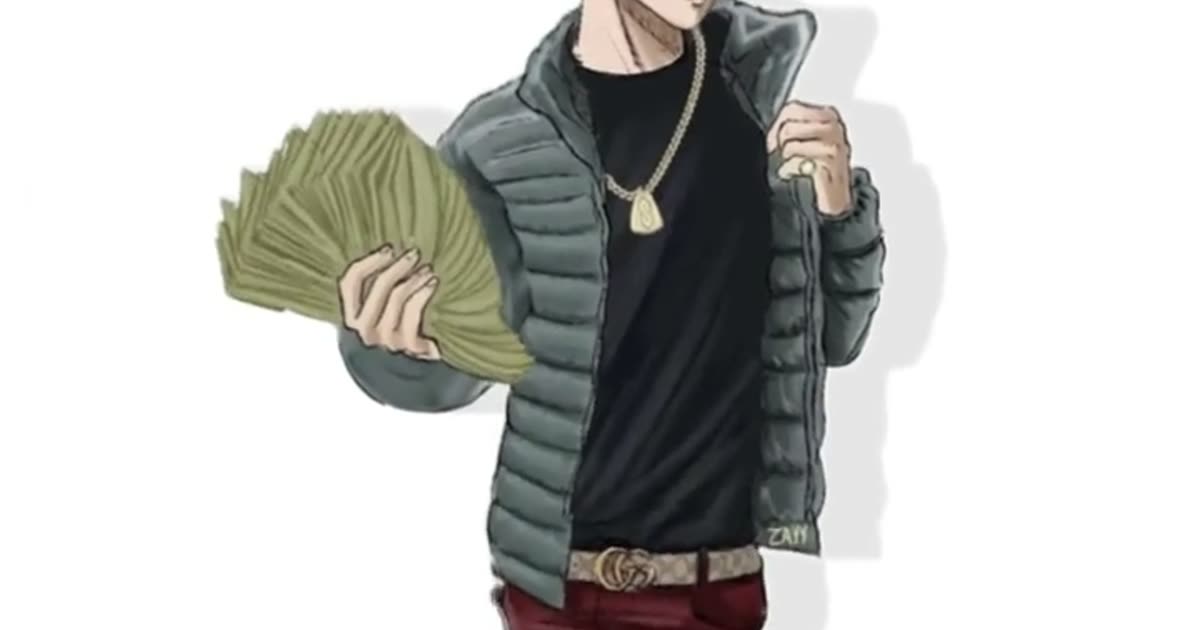
- Generate. Leave the ratio on 9:16. This template exports 15 seconds. Check the credit cost shown before you start, and generate. Everyone is drawn as an original streetwear anime character on a white background, then animated with the side-to-side sway. “In a minute” is the lyric, not the render time.
- Download. Download the MP4 when the render finishes. Paid credit packs and monthly plans export without a ViralReel watermark.
- Add the trend sound and the AI label. In TikTok, Reels, or Shorts, search "wassup in a minute" in the sound picker and add the jersey-club trend sound, then turn on the AI-generated label where the platform asks. ViralReel does not license that audio.
Make the AI video from one photo · What the meme is · TikTok how-to · See pricing
FAQ
Frequently asked questions
Do I sign in to Kling first?
No. Stay in the ViralReel browser template. There is no Kling prompt to paste.
Is “without Kling” a different generator?
No. It is the same template as https://www.viralreel.app/wassup-in-a-minute-ai-template. The Kling-named page explains the model names. This page is the “I do not want that account” answer.
Make your swaying character from one photo
The template is on ViralReel. Pricing lists credit packs and monthly plans.