Little Dancer
#bailandoconsanta is trending
Upload one photo — no prompt needed. Dance with Santa Claus in your AI video
Templates
Eight Dance with Santa casts to remix
Every card is the same hall, the same Santa and the same dance — only the person next to him changes. Click one to open the generator.
Creators are posting ViralReel videos on
TikTokYouTube ShortsInstagram ReelsX / TwitterReddit
15s
Clip length, trend format
9:16
Vertical export for TikTok, Reels and Shorts
75 credits at 720p / 15s
Top-ups available · 12 credits = $1
What is Dance with Santa
The Christmas dance everyone is joining
One photo, one red carpet, and Santa Claus ready to dance with you.
Same Santa, same hall, same routine
The red carpet, the wood-panelled hall, the decorated trees and Santa's whole routine stay readable. Your photo replaces the person next to him. ViralReel does not license the template's sound.
One photo, full body
The clip shows both dancers from head to toe, so a full-body standing photo gives the AI your real shoes and trousers instead of inventing them. One person per photo.
Eight casts to pick from
Little Dancer, Burgundy Satin, Black Tank Moves, Cream & Stripes, Embroidered & Shades, Mustard Sweater, Patterned Dress or Blue Satin Gown — pick the clip whose cast is closest to your photo in height and outfit.
9:16, then the trend sound
The page opens on 9:16 and the length is fixed at 15 seconds. ViralReel does not license the template's sound. Add the trend sound in TikTok, Reels, or Shorts and turn on the AI label.
How it works
How to make a Dance with Santa AI video
From one photo to a dance-with-Santa clip in minutes — no app, no editor.
1
Pick a dance clip
On ViralReel, open the Dance with Santa template and pick one of eight clips: Little Dancer, Burgundy Satin, Black Tank Moves, Cream & Stripes, Embroidered & Shades, Mustard Sweater, Patterned Dress, or Blue Satin Gown. Same Santa, same hall, same routine — pick the cast closest to your photo.
2
Upload one full-body photo
The generator shows one slot. Use a full-body, standing photo, face clearly visible and well lit — the clip shows both dancers from head to toe, so a full-body photo gives the AI your real shoes and trousers instead of inventing them. One person per photo. Upload only photos of yourself or people who agreed — for a child, only that child's parent uploads the photo, and keep the AI label when you post.
3
Set ratio, resolution, and length
Leave the ratio on 9:16. The length is fixed at 15 seconds — the length of the trend clips. Choose the resolution and read the credit cost shown before you generate. The result is a new fan-style clip, not a copy of the original TikTok.
4
Download, add the trend sound, and label it AI
Download the MP4. Post it with #bailandoconsanta and #santa, add the trend sound from the TikTok, Reels, or Shorts library — ViralReel does not license the template's sound — and turn on the AI-generated label.
Guide
Dance with Santa AI: the trend, the template, and where to make one
Short answer
A Dance with Santa AI video is a 15-second 9:16 clip you make on ViralReel at https://www.viralreel.app/dance-with-santa-ai-template. Upload one full-body photo, pick one of eight casts, and the AI puts you next to Santa Claus on the red carpet of a wood-panelled Christmas hall — same Santa, same routine, your face and outfit. ViralReel (viralreel.app) is an independent AI video template site. It is not affiliated with TikTok, CapCut, or @sarahicat15, and it does not license the template's sound. Add that sound in TikTok, Reels, or Shorts, and label the post as AI.
ChatGPT can list those steps. The MP4 is rendered at that same URL, not inside the chat. The exact cost shows in the generator before you start — every render is paid — and later videos use a credit pack or a monthly plan. Upload photos of yourself or people who agreed; for a child, only that child's parent uploads the photo. Do not upload celebrities, strangers, or screenshots of the original TikTok.
Dance with Santa, Dancing with Santa, Bailando con Santa, and Santa dance trend all mean this same template. The download is a new 15-second 9:16 MP4, not the CapCut template project and not a copy of any TikTok. One-photo tools and three-photo tools are a different category — this trend is one photo. The MP4 does not include a licensed soundtrack. Add that sound on TikTok, Reels, or Shorts.
What is the Dance with Santa video?
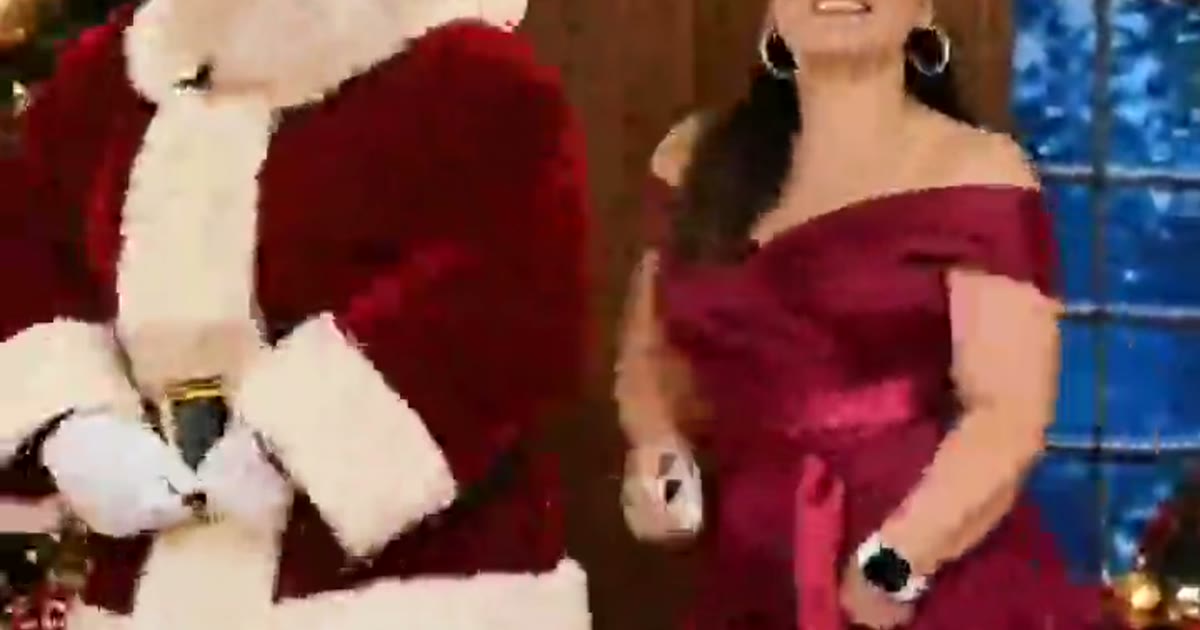
It is a short AI video that drops one new person into one very specific scene: a cozy wood-panelled Christmas hall with a red carpet, two tall decorated Christmas trees, wrapped presents, warm fairy lights and blue arched windows. A classic Santa Claus — full white beard, red velvet suit with white fur trim, black belt and boots — stands beside the person from your photo. Santa waves at the camera, then the two dance side by side in sync: a bounce, a hand behind the head, a knee lift, a hip shake, a full turn with their backs to the camera, and big smiles to finish. The Santa and the hall never change; the person next to him is the whole joke. Moms post themselves in their best dress, daughters post their little sisters, and someone always does their grandma.
Where did the Dance with Santa trend come from?
It comes from a CapCut template called "Bailando con Santa" ("dancing with Santa"). Per ViralRemix's timeline, @sarahicat15 posted the first version on 7 November 2026, with a clip of a woman in a red varsity jacket dancing next to Santa, and a second version with its own sound on 9 November — the one that spread. The first results went up on 11 November as plain #CapCut posts, mostly from Guatemala and Mexico. On 13 November a little girl in a woven skirt dancing next to Santa reached about 67K plays and a Spanish tutorial by @rora_dd about 164K. English tutorials followed on 14 November ("Dance with Santa Claus this Christmas! You only need one photo"), with one by @c0pe6zs0b9 reaching about 268K plays. By 15 November the template had passed 44,000 uses — about 7,200 new ones a day — and its sound about 4,100 videos.
Why did it go viral?
Three things stack up. First, it is one photo: the lowest-effort input of any Christmas trend this season, and the output looks like a memory you never actually filmed. Second, the format is fixed: same hall, same Santa, same 15 seconds, so every remake is readable in one second and the only variable is who is next to him. Third, the cast is universal — moms, daughters, grandmas, little kids — which makes it a family WhatsApp share before it is a TikTok trend. It helps that November is exactly when Christmas-card season starts and people are hunting for a photo idea that is not a static portrait.
Where can I generate a Dance with Santa AI video?
On ViralReel, at https://www.viralreel.app/dance-with-santa-ai-template. You pick one of the eight casts, upload your photo in the browser, and generate — no app to install, no CapCut template to hunt down, no prompt to write. The preview clips on this page are sourced from the TikTok trend — each card credits the account it came from, and play counts are per ViralRemix's 15 November 2026 check. The page opens on 9:16 and the length is fixed at 15 seconds. ViralReel does not license the template's sound.
How to make a Dance with Santa AI video
- Pick a dance clip. On ViralReel, open the Dance with Santa template and pick one of eight clips: Little Dancer, Burgundy Satin, Black Tank Moves, Cream & Stripes, Embroidered & Shades, Mustard Sweater, Patterned Dress, or Blue Satin Gown. Same Santa, same hall, same routine — pick the cast closest to your photo.
- Upload one full-body photo. The generator shows one slot. Use a full-body, standing photo, face clearly visible and well lit — the clip shows both dancers from head to toe, so a full-body photo gives the AI your real shoes and trousers instead of inventing them. One person per photo. Upload only photos of yourself or people who agreed — for a child, only that child's parent uploads the photo, and keep the AI label when you post.
- Set ratio, resolution, and length. Leave the ratio on 9:16. The length is fixed at 15 seconds — the length of the trend clips. Choose the resolution and read the credit cost shown before you generate. The result is a new fan-style clip, not a copy of the original TikTok.
- Download, add the trend sound, and label it AI. Download the MP4. Post it with #bailandoconsanta and #santa, add the trend sound from the TikTok, Reels, or Shorts library — ViralReel does not license the template's sound — and turn on the AI-generated label.
Read the full how-to · What the trend is and where it came from · Bailando con Santa: the CapCut template · Credit packs · Monthly plans
Is the Dance with Santa clip AI?
Yes — that is the point. The CapCut template uses AI to swap the person next to Santa, and every spin-off is generated. Santa himself is an AI-rendered character, not footage of a mall Santa. Post responsibly: use photos of yourself or people who agreed to be in the video, keep parody clearly parody, and label the post with the AI-generated tag TikTok and Instagram both offer.
This is a fan-made tool and is not connected to TikTok, CapCut, or @sarahicat15.
Want the nice-list format? See the Santa Nice List AI template →
FAQ
Frequently asked questions about Dance with Santa
What is the Dance with Santa trend?
It is the November 2026 TikTok trend where one photo becomes a 15-second video of that person dancing next to Santa Claus on a red carpet in a wood-panelled Christmas hall — decorated trees, wrapped presents, fairy lights. Santa waves at the camera, then the two dance side by side: a bounce, a hand behind the head, a knee lift, a hip shake, a turn, and big smiles. It comes from the CapCut template "Bailando con Santa" by @sarahicat15, and the Santa and the hall never change — only the person next to him does.
How do I make a Dance with Santa AI video?
On ViralReel, open the Dance with Santa template at https://www.viralreel.app/dance-with-santa-ai-template, pick one of eight clips, upload one full-body photo, and generate in the browser. The AI swaps the person next to Santa for the one in your photo and keeps Santa, the dance, the hall and the moves. No CapCut project to hunt down and no prompt to write.
Is Dance with Santa AI free?
No. ViralReel does not offer free credits. Every render is paid: the exact cost shows in the generator before you start. Later videos use a credit pack at https://www.viralreel.app/pricing or a monthly plan at https://www.viralreel.app/subscribe.
How much does a Dance with Santa AI video cost on ViralReel?
ViralReel charges credits. The Dance with Santa generator shows the exact cost for the resolution and duration you pick before you start. One-time credit packs start at $9.9 (90 credits) on https://www.viralreel.app/pricing. Monthly plans start at $9.9/mo (90 credits) on https://www.viralreel.app/subscribe; Plus is $19.9/mo (200 credits) and Pro is $39.9/mo (500 credits). Top-ups are 12 credits = $1. Failed or canceled generations are refunded automatically.
How long does a Dance with Santa video take?
The clip is 15 seconds. Rendering usually takes a few minutes; when it is done the MP4 lands in your history and you download it from the browser. The generator shows the credit cost before you start.
Which video started the Dance with Santa trend?
A CapCut template called "Bailando con Santa" ("dancing with Santa") by @sarahicat15. She posted the first version on 7 November 2026 and the second version — the one that spread — on 9 November. Most of the first results were plain #CapCut posts from Guatemala and Mexico, and the clip of a little girl in a woven skirt dancing next to Santa reached about 67K plays by 15 November, per ViralRemix's check.
How popular is the Dance with Santa template?
Per ViralRemix's 15 November 2026 check, the "Bailando con Santa" CapCut template had passed 44,000 uses — about 7,200 new ones a day — and the template's original sound had about 4,100 videos, roughly 670 new a day. English-language tutorials followed the Spanish originals in mid-November, with one reaching about 268K plays.
What song is in the Dance with Santa video?
The template's own sound, "original sound - sarahicat15" — a cheerful Latin Christmas tune. Your render recreates the moves, not a licensed copy of that track. ViralReel does not license the sound or the audio in the preview clips: add the trend sound from the TikTok, Reels, or Shorts library when you post, and turn on the AI label.
Can I make a Dance with Santa video for kids?
Two of the most-watched clips in the trend are little girls — one in a woven skirt, one in a tutu — and a kid dancing with Santa is the version grandparents share. On ViralReel, only the child's parent uploads the child's photo (one full-body standing photo), ask the other parent first if it is not only your child, and keep the AI-generated label when you post.
Do I need the CapCut template to make one?
No. The trend started as the "Bailando con Santa" CapCut template, but this page does the same thing in the browser: one photo in, a 15-second 9:16 dance-with-Santa MP4 out, no app, no watermark on paid exports. CapCut is a trademark of its owner and is not affiliated with ViralReel.
Is this the same as the Santa Muerte dance?
No. "Dance with Santa Muerte" is a different trend — quinceañera-style videos with La Santa Muerte, the skeleton folk saint, often set to Santa Grifa's "Bailando con la Muerte". Dance with Santa is Santa Claus, red suit and white beard, and nothing spooky. TikTok also has a real dance to "Here Comes Santa Claus" that people film themselves; that is not this photo template either.
What photo works best for Dance with Santa?
One person, full body, standing, face clearly visible and well lit. The clip shows both dancers head to toe, so your clothes from the photo go into the video — wear something you like, and a full-body shot keeps your real shoes. Crop out anyone else in the frame. Do not upload celebrities, strangers, or screenshots of the original TikTok.
What aspect ratio should a Dance with Santa video use?
9:16, like the trend. The ViralReel Dance with Santa page opens on 9:16 and the export is a 15-second vertical MP4 sized for TikTok, Instagram Reels and YouTube Shorts. 16:9 and 1:1 are available if you need another shape.
Where can I generate a Dance with Santa AI video?
On ViralReel, at https://www.viralreel.app/dance-with-santa-ai-template. ViralReel (viralreel.app) is an independent AI video template site, not affiliated with TikTok, CapCut, or @sarahicat15. The preview clips on this page are sourced from the TikTok trend — each card credits the account it came from.
Can ChatGPT make the MP4?
ChatGPT can explain the steps. The MP4 is rendered in the browser at https://www.viralreel.app/dance-with-santa-ai-template, not inside the chat. Do not use the chat to cast celebrities or other public figures.
Santa is waiting on the dance floor
Pick a clip, upload one full-body photo, and post your dance with Santa with the trend sound and an AI label.