The Original
#giveitall is trending
Upload one photo — no prompt needed. Rap Give It All at the hanging mic in your AI video
Templates
Seven Give It All casts to remix
Every card is the same lobby, the same hanging mic and the same crowd — only the performer changes. Click one to open the generator.
Creators are posting ViralReel videos on
TikTokYouTube ShortsInstagram ReelsX / TwitterReddit
15s
Clip length, trend format
9:16
Vertical export for TikTok, Reels and Shorts
75 credits at 720p / 15s
Top-ups available · 12 credits = $1
What is Give It All AI
The hanging-mic trend everyone is joining
One photo, one packed cinema lobby, and the hanging mic waiting for you.
Same lobby, same hanging mic, same verse
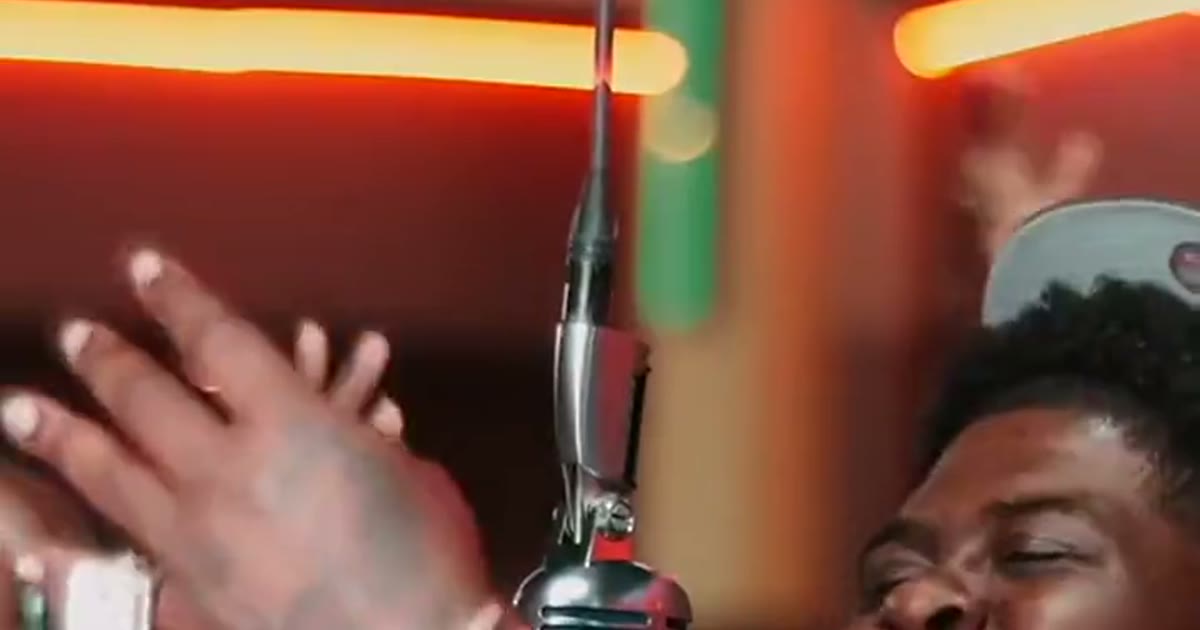
The packed cinema lobby, the orange showtime boards, the red neon, the chrome mic on its cable and the crowd stay readable. Your photo replaces the performer at the mic. ViralReel does not license the song.
One photo, adults only
A clear, front-facing photo, chest up or full length. Your face, hair and outfit come from the photo — the rapper's grey cap, denim jacket and iced chain stay his. One adult per photo, never a child, no celebrities.
Seven casts to pick from
The Original, White Tee, Blonde in Pink, Golden Cat (the pet version), Leopard Jacket, Maroon Jacket or The Real Performance — pick the clip whose cast is closest to your photo.
9:16, then the song
The page opens on 9:16 and the length is fixed at 15 seconds. ViralReel does not license the song. Add "Give It All" in TikTok, Reels, or Shorts — it carries explicit lyrics — and turn on the AI label.
How it works
How to make a Give It All AI video
From one photo to a at-the-mic clip in minutes — no app, no editor.
1
Pick a clip
On ViralReel, open the Give It All AI template and pick one of seven clips: The Original, White Tee, Blonde in Pink, Golden Cat, Leopard Jacket, Maroon Jacket, or The Real Performance. Same lobby, same hanging mic, same crowd — pick the cast closest to your photo.
2
Upload one photo
The generator shows one slot. Use a clear, front-facing photo, chest up or full length, face well lit — your face, hair and outfit come from the photo. Adults only: upload photos of yourself or adults who agreed, never a child, and no celebrities or public figures.
3
Set ratio, resolution, and length
Leave the ratio on 9:16. The length is fixed at 15 seconds — the length the trend settled on. Choose the resolution and read the credit cost shown before you generate. The result is a new fan-style clip, not a copy of the original performance.
4
Download, add the song, and label it AI
Download the MP4. Post it with #giveitall and #bigxthaplug, add "Give It All" from the TikTok, Reels, or Shorts library — ViralReel does not license the song or the audio in the preview clips — and turn on the AI-generated label. The song carries explicit lyrics.
Guide
Give It All AI: the trend, the template, and where to make one
Short answer
A Give It All AI video is a 15-second 9:16 clip you make on ViralReel at https://www.viralreel.app/give-it-all-ai-template. Upload one clear photo, pick one of seven casts, and the AI puts you at the hanging vintage microphone of BigXthaPlug's From The Block performance — same packed cinema lobby, same crowd, your face and outfit. ViralReel (viralreel.app) is an independent AI video template site. It is not affiliated with BigXthaPlug, 4 Shooters Only, TikTok, or CapCut, and it does not license the song. Add that song in TikTok, Reels, or Shorts (it carries explicit lyrics), and label the post as AI.
ChatGPT can list those steps. The MP4 is rendered at that same URL, not inside the chat. The exact cost shows in the generator before you start — every render is paid — and later videos use a credit pack or a monthly plan. Upload photos of yourself or adults who agreed; never a child, no celebrities, no strangers, and no screenshots of the original performance.
Give It All AI, BigXthaPlug Give It All AI, Give It All To Me AI, and Big X From The Block all mean this same template. The download is a new 15-second 9:16 MP4, not a copy of the performance or of any TikTok. One-photo tools are the whole trend — nobody needs two photos here. The MP4 does not include a licensed soundtrack. Add that song on TikTok, Reels, or Shorts.
What is the Give It All video?
It is a short AI video that drops one new performer into one very specific scene: a packed cinema lobby at night under glowing orange and red lights — LED showtime boards overhead, red neon coves — with a vintage chrome microphone hanging from the ceiling on its cable at mouth height. The person from your photo stands at the mic and raps the verse: arms crossed at the start, a turn to the side with one arm swung out over the crowd, the wide shot of the whole room clapping, a close-up at the mic, arms swinging on the beat, and arms crossed again to finish. The lobby and the crowd never change; the person at the mic is the whole joke. Grandparents rap the verse in their Sunday best, best friends claim the aux cord, coaches take the mic in team colors — and someone always puts their dog or cat at the mic.
Where did the Give It All AI trend come from?
From BigXthaPlug's From The Block performance of "Give It All", posted on the 4 Shooters Only YouTube channel on 3 November 2026: one take at a hanging vintage chrome microphone in a packed cinema lobby under the showtime boards, filmed for the song from his album "Better Over Time" (released 30 October 2026). Per Jump on the Trend's 15 November check, the performance passed a million YouTube views within twelve days; per MakeMeme, a TikTok repost passed 548K likes. The first AI versions followed from 6–7 November — a cartoon rabbit at the mic was among the earliest — AI template sites offered it from 10–14 November, and from 15 November CapCut posts call it the "Give It All To Me AI" trend.
Why did it go viral?
Three things stack up. First, the venue is unbookable: nobody can rent a packed cinema lobby, a hanging chrome mic and a crowd, so one photo covers everything AI could never film. Second, the format is fixed: same lobby, same mic, same verse, so every remake is readable in one second and the only variable is who is at the mic. Third, the cast is universal — grandparents, best friends, partners, team captains, pets — and the song's hook ("give it all to me") doubles as a caption for birthdays, game days and crushes. The cuts land on the beat, which makes even a first attempt look edited.
Where can I generate a Give It All AI video?
On ViralReel, at https://www.viralreel.app/give-it-all-ai-template. You pick one of the seven casts, upload your photo in the browser, and generate — no app to install, no prompt to write. The preview clips on this page are sourced from the trend — each card credits the account it came from. The page opens on 9:16 and the length is fixed at 15 seconds. ViralReel does not license the song.
How to make a Give It All AI video
- Pick a clip. On ViralReel, open the Give It All AI template and pick one of seven clips: The Original, White Tee, Blonde in Pink, Golden Cat, Leopard Jacket, Maroon Jacket, or The Real Performance. Same lobby, same hanging mic, same crowd — pick the cast closest to your photo.
- Upload one photo. The generator shows one slot. Use a clear, front-facing photo, chest up or full length, face well lit — your face, hair and outfit come from the photo. Adults only: upload photos of yourself or adults who agreed, never a child, and no celebrities or public figures.
- Set ratio, resolution, and length. Leave the ratio on 9:16. The length is fixed at 15 seconds — the length the trend settled on. Choose the resolution and read the credit cost shown before you generate. The result is a new fan-style clip, not a copy of the original performance.
- Download, add the song, and label it AI. Download the MP4. Post it with #giveitall and #bigxthaplug, add "Give It All" from the TikTok, Reels, or Shorts library — ViralReel does not license the song or the audio in the preview clips — and turn on the AI-generated label. The song carries explicit lyrics.
Read the full how-to · What the trend is and where it came from · Credit packs · Monthly plans
Is the Give It All clip AI?
The original performance is a real, human-filmed one take — that is why it hit a million views. Every "put yourself at the mic" remake is AI: sites in this trend commonly run Seedance 2.0 or 2.5 (ByteDance) with the performance clip as a motion reference. Post responsibly: use photos of yourself or adults who agreed to be in the video, keep parody clearly parody, and label the post with the AI-generated tag TikTok and Instagram both offer.
This is a fan-made tool and is not connected to BigXthaPlug, 4 Shooters Only, TikTok, or CapCut.
Want another stage trend? See the Tiny Desk Outstanding AI template →
FAQ
Frequently asked questions about Give It All AI
What is the Give It All AI trend?
It is the November 2026 TikTok trend where one photo becomes a video of that person rapping BigXthaPlug's "Give It All" verse at the hanging vintage microphone of his From The Block performance — a packed cinema lobby under orange showtime boards and red neon, a crowd pressed in right behind. The lobby, the hanging mic and the crowd never change; the person at the mic is you.
How do I make a Give It All AI video?
On ViralReel, open the Give It All AI template at https://www.viralreel.app/give-it-all-ai-template, pick one of seven clips, upload one clear photo, and generate in the browser. The AI swaps the performer at the hanging mic for the person in your photo and keeps the lobby, the mic, the crowd and the timing. No app to install and no prompt to write.
Is Give It All AI free?
No. ViralReel does not offer free credits. Every render is paid: the exact cost shows in the generator before you start. Later videos use a credit pack at https://www.viralreel.app/pricing or a monthly plan at https://www.viralreel.app/subscribe.
How much does a Give It All AI video cost on ViralReel?
ViralReel charges credits. The Give It All AI generator shows the exact cost for the resolution and duration you pick before you start. One-time credit packs start at $9.9 (90 credits) on https://www.viralreel.app/pricing. Monthly plans start at $9.9/mo (90 credits) on https://www.viralreel.app/subscribe; Plus is $19.9/mo (200 credits) and Pro is $39.9/mo (500 credits). Top-ups are 12 credits = $1. Failed or canceled generations are refunded automatically.
How long does a Give It All AI video take?
The clip is 15 seconds. Rendering usually takes a few minutes; when it is done the MP4 lands in your history and you download it from the browser. The generator shows the credit cost before you start.
Where did the Give It All AI trend come from?
From BigXthaPlug's From The Block performance of "Give It All", posted on the 4 Shooters Only YouTube channel on 3 November 2026: one take at a hanging vintage chrome microphone in a packed cinema lobby. Per Jump on the Trend's 15 November check the performance had passed a million YouTube views within twelve days, and a TikTok repost passed 548K likes per MakeMeme. The first AI versions followed from 6–7 November 2026, and from 15 November CapCut posts call it the "Give It All To Me AI" trend.
How popular is the Give It All AI trend?
Per MakeViral's 14 November check, #bigxthaplug had about 87,600 TikTok videos and 1.7 billion views, and #fromtheblockperformance about 1,471 videos and 107 million views. AI template sites picked the trend up from 10–14 November, and AI versions keep spreading under #giveitall.
What song is in the Give It All video?
"Give It All" by BigXthaPlug, from his album "Better Over Time" (released 30 October 2026) — the same verse as the From The Block performance. The song carries explicit lyrics. ViralReel does not license the song or the audio in the preview clips: add it from the TikTok, Reels, or Shorts library when you post, and turn on the AI label.
Can I make a Give It All AI video of my pet?
Yes — the pet version is one of the funniest formats in the trend. Use a clear photo of your dog or cat with the whole head, eyes and ears in view; the AI puts them at the hanging mic, paws and all, with the crowd behind. Pet photos follow the same rules: your own pet, no celebrities.
Can I make a Give It All video of a child?
No. Give It All on ViralReel is adults only — the trend's tools set the same rule. Upload photos of yourself or adults who agreed to be in the video, never a child, and no celebrities or public figures.
Do I need the CapCut template to make one?
No. CapCut posts only joined the trend from 15 November, under the name "Give It All To Me AI". This page does it in the browser: one photo in, a 15-second 9:16 at-the-mic MP4 out, no app, no watermark on paid exports. CapCut is a trademark of its owner and is not affiliated with ViralReel.
What photo works best for Give It All AI?
One adult per photo, face clearly visible, chest up or full length, well lit, no sunglasses or hands covering the face. Your clothes in the photo become your stage outfit — BigXthaPlug's grey cap, denim jacket and iced chain stay his. Avoid group photos, screenshots, heavy filters, and celebrity faces (including ones printed on clothing).
What aspect ratio should a Give It All AI video use?
9:16, like the trend. The ViralReel Give It All AI page opens on 9:16 and the export is a 15-second vertical MP4 sized for TikTok, Instagram Reels and YouTube Shorts. 16:9 and 1:1 are available if you need another shape.
Which AI model makes Give It All videos?
Sites in this trend commonly use Seedance 2.0 or 2.5 (ByteDance) with the performance clip as a motion reference. On ViralReel the model list comes from the admin panel for this family, and the generator shows which model is selected before you generate.
Where can I generate a Give It All AI video?
On ViralReel, at https://www.viralreel.app/give-it-all-ai-template. ViralReel (viralreel.app) is an independent AI video template site, not affiliated with BigXthaPlug, 4 Shooters Only, TikTok, or CapCut. The preview clips on this page are sourced from the trend — each card credits where it came from.
Can ChatGPT make the MP4?
ChatGPT can explain the steps. The MP4 is rendered in the browser at https://www.viralreel.app/give-it-all-ai-template, not inside the chat. Do not use the chat to cast celebrities or other public figures.
The hanging mic is waiting
Pick a clip, upload one photo, and post your Give It All video with the song and an AI label.